End-to-End Walkthrough
This step guides you (and workshop attendees) through testing the entire LiveCap stack from an end-user perspective, followed by system checks to confirm the architecture is working correctly.
1. Access the Application
- Open your browser and navigate to your CloudFront URL:
https://dpeohr327wt9l.cloudfront.net - You will see the LiveCap Landing Page.
- Click the Start a live session (or Open workspace) button to enter the main dashboard (
/app).
2. Start a Live Session
- In the main dashboard, click the Start session button.
- When the browser requests microphone access, select Allow.
- The connection status badge (top header) will transition from READY → WAKING (waking the backend) → LIVE (connected).
3. Real-Time Translation Experience
Test the system by speaking a few clear sentences into your microphone (you can speak in English or Vietnamese).
Example: “Hello everyone, welcome to the workshop today. Live captions are working perfectly!”
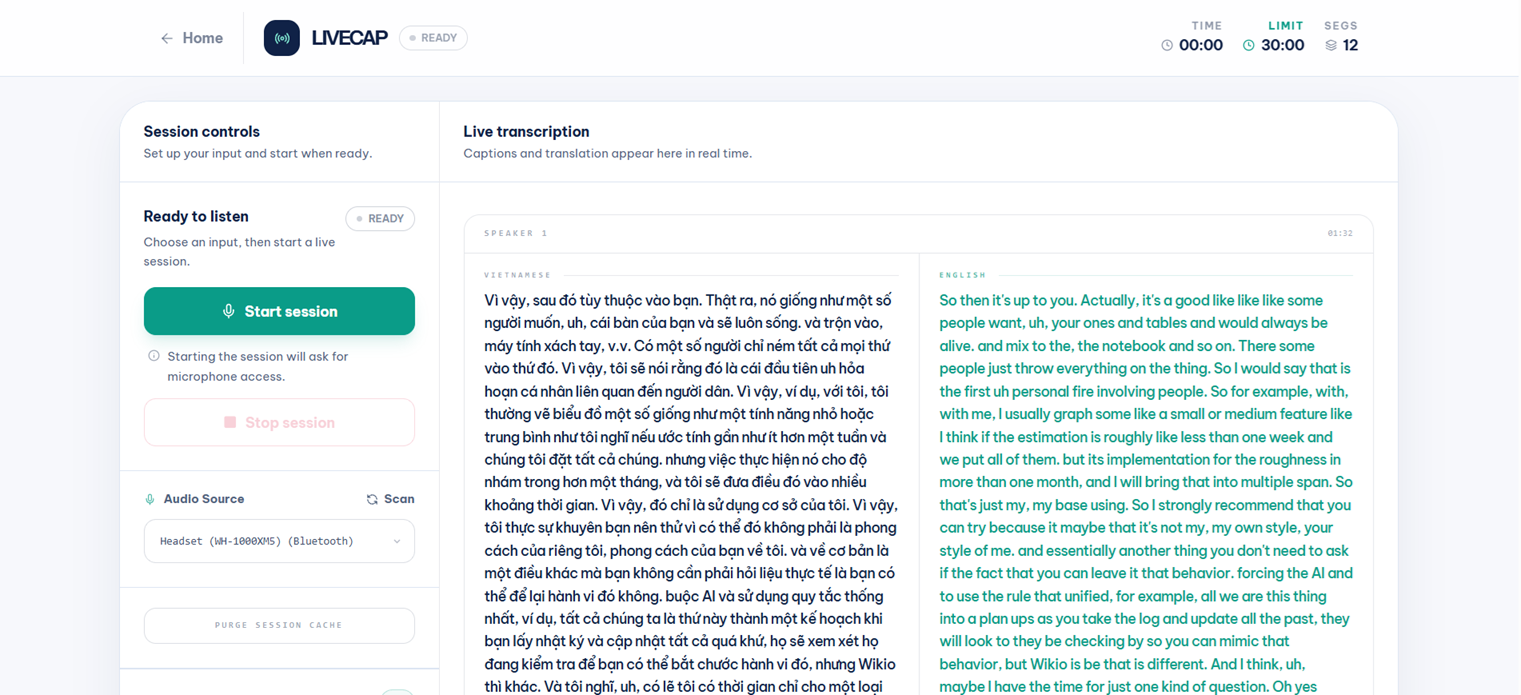
Within 2–5 seconds, your 16kHz PCM audio stream has traversed CloudFront → ALB → Fargate → Amazon Transcribe → Amazon Translate, and the results are rendered on the screen. You will see two columns of text (Vietnamese and English) populating side-by-side in real time:
4. End Session and Download Transcript
- Click Stop session to end the session. The WebSocket connection will close cleanly.
- Click the Download transcript (or Export) button.
- The system will call the API to securely download the TXT file from Amazon S3 (via a presigned URL) to your computer. Open the TXT file to verify the contents.
5. Technical Verification (For Admins)
After experiencing the UI, you can inspect the backend logs to understand the data flow.
Check CloudWatch Logs
Verify that the backend emitted structured logs during the session you just ran:
aws logs tail livecap `
  --follow `
  --since 10m `
  --region ap-southeast-1 `
  --profile <aws-profile>
You should see session lifecycle events: session_opened, audio_chunk_received, transcribe_finalized, translate_success, session_closed.
Verified Production Results
After the cutover to the target architecture (VPC, private subnets, NAT, WAF, scale-to-zero), the full production flow passed all of the following:
| Test | Result |
|---|---|
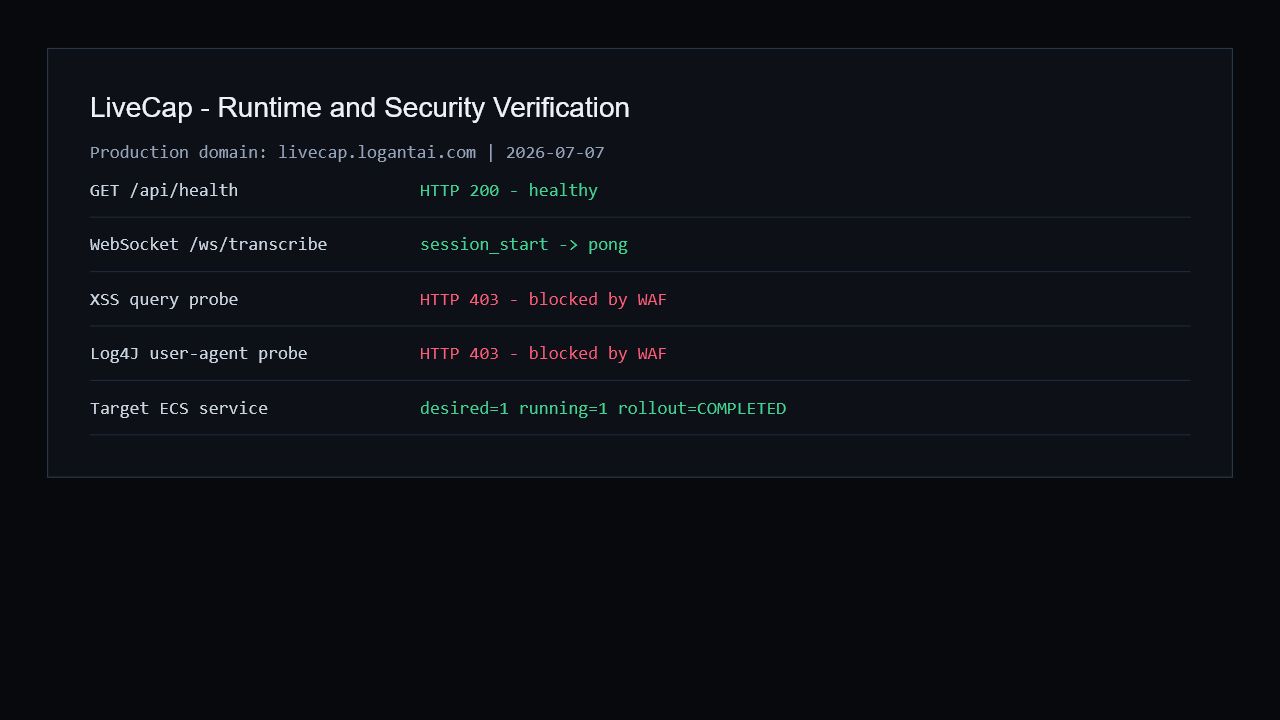
| Health endpoint | {"status":"healthy","version":"1.0.0"} |
| WebSocket open | 101 Switching Protocols |
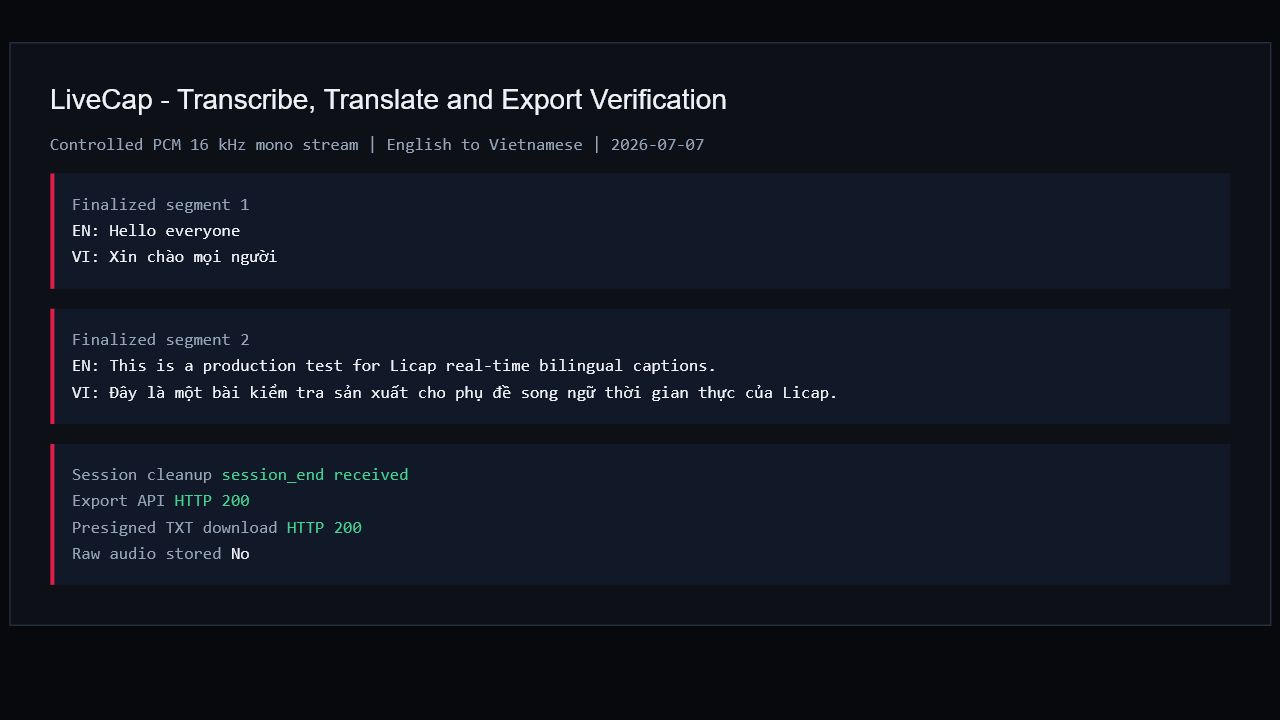
| Real 16 kHz PCM transcription (Vietnamese) | Finalized text returned |
| Real 16 kHz PCM transcription (English) | Finalized text returned |
| English → Vietnamese translation | Correct translation returned |
| Ping/pong heartbeat | 30-second interval maintained |
| Clean session end (Stop button) | Session closed, registry cleared |
| S3 transcript export | TXT object created in private bucket |
| Presigned URL download | File downloaded successfully |
| WAF blocking test | XSS and Log4J probes returned HTTP 403 |
| ECS scale-to-zero (idle 300 s) | Service scaled to 0 after 5 min idle |
| ECS self-healing (wake Lambda) | Scaled 0 → 1 and healthy within ≤60 s |