Live Captioning – Transcribe & Translate in Action
How the Real-Time Pipeline Works
When a user clicks Start, the following chain of events happens automatically:
Browser microphone
  → Web Audio API worklet (16 kHz resampling)
  → Binary PCM chunks sent over WebSocket (WSS)
  → CloudFront /ws/transcribe
  → Application Load Balancer
  → FastAPI on ECS Fargate (port 8000)
  → Amazon Transcribe Streaming (two parallel streams: vi-VN and en-US)
  → Amazon Translate (finalized segments only)
  → Caption rows returned over the same WebSocket path
  → Browser caption dashboard
The microphone only starts capturing audio after the backend health check passes and the WebSocket connection is established. Audio produced while the socket is not open is dropped rather than buffered.
Bilingual Dual-Stream Mode
With BILINGUAL_DUAL_STREAM=true, the backend fans each PCM chunk into two
parallel Amazon Transcribe streams:
vi-VN– detects Vietnamese speechen-US– detects English speech
An arbitrator picks the language that produced the finalized segment first, then sends that text to Amazon Translate to produce the other language. The result is a bilingual row:
[Vietnamese original]  |  [English translation]
[English original]     |  [Vietnamese translation]
Only finalized segments become permanent caption rows. Partial (interim) results may appear in the UI transiently but are never stored.
Connection Resilience
| Event | Behaviour |
|---|---|
| Normal operation | Frontend sends ping every 30 seconds; backend replies pong |
| Unexpected disconnect | Frontend retries up to 3 times: 1 s, 2 s, 4 s backoff |
| Reconnect success | New backend session starts; finalized rows are preserved in UI |
| All retries fail | Audio capture stops; user must press Start again |
| 30-minute timeout | Backend closes session; frontend shows “Session ended” |
Session Guardrails
The backend rejects new connections when limits are exceeded:
- 4 concurrent sessions globally (one ECS task, process memory)
- 1 session per client IP
These limits prevent accidental runaway Transcribe/Translate costs for the MVP. Before scaling beyond one task, the session registry must move to DynamoDB or Redis (shared state across tasks).
Start a Live Session
- Open
https://dpeohr327wt9l.cloudfront.net - Click Start captioning to go to
/app - Click Start session – the frontend wakes the backend if needed, then polls health
- Allow microphone access when prompted by the browser
- Speak in English or Vietnamese
- Watch finalized bilingual caption rows appear in the dashboard
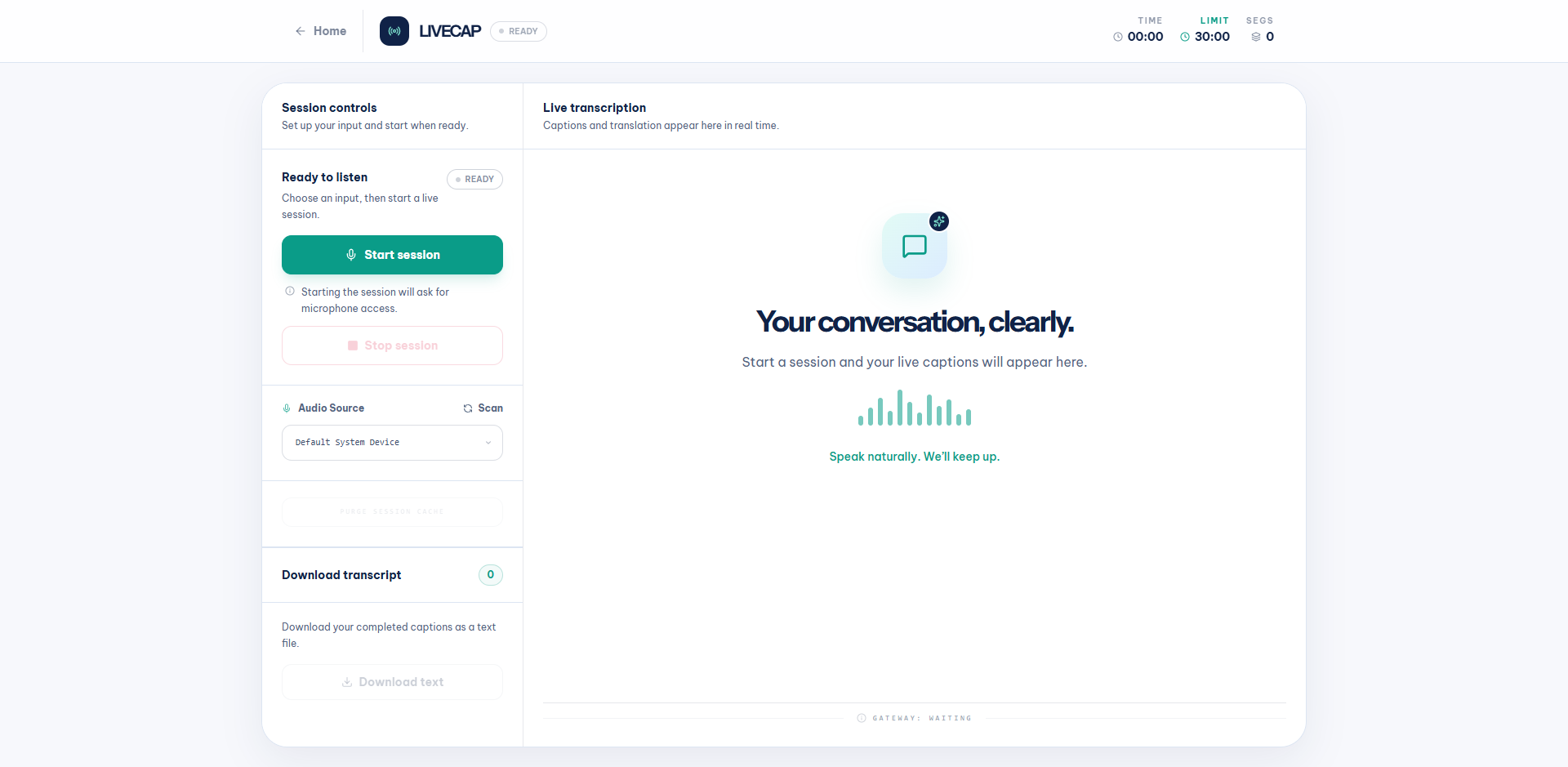
The dashboard in its READY state before starting a session:
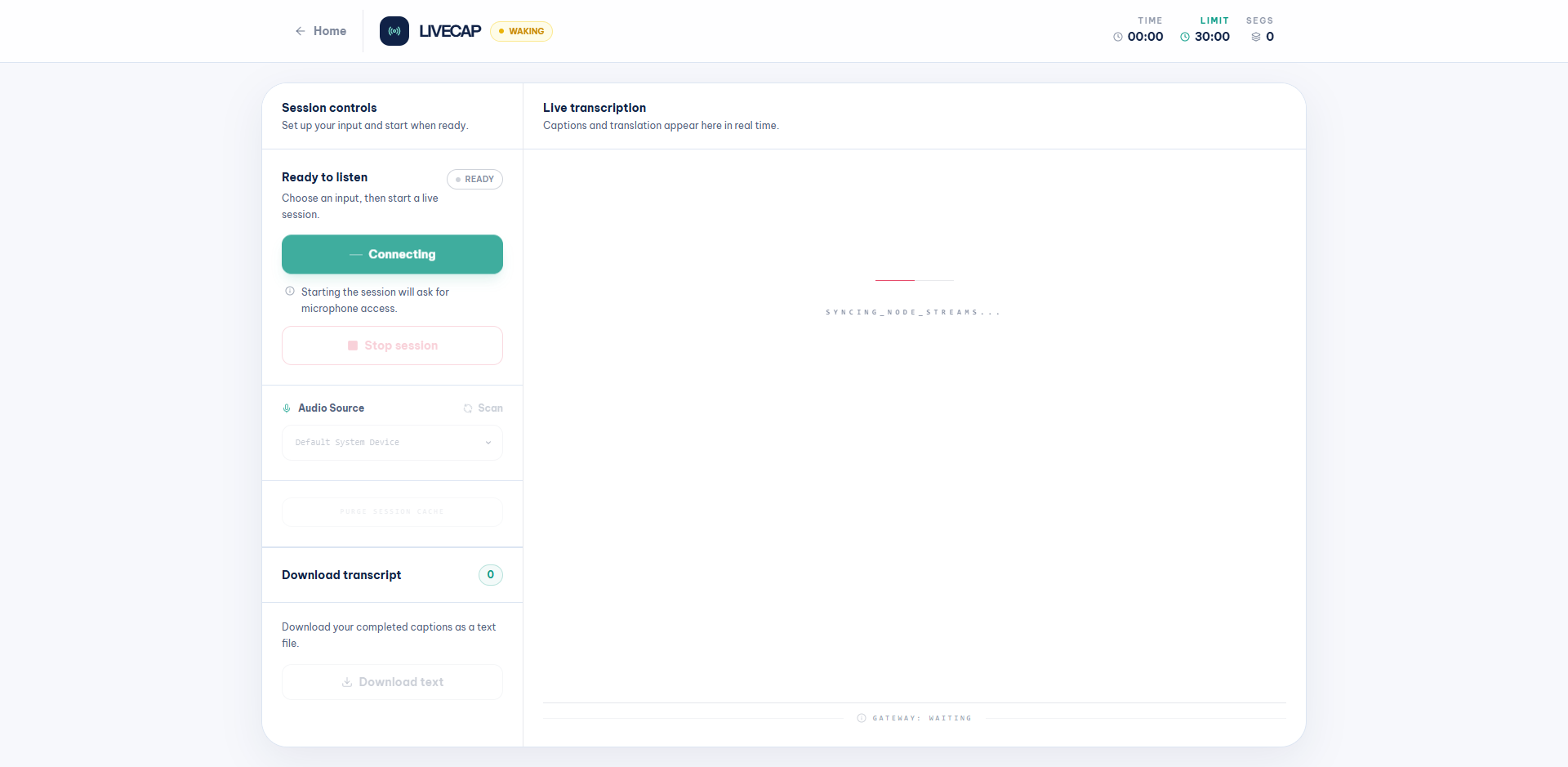
After clicking Start session, the status changes to WAKING while the frontend wakes the ECS backend (scales 0 → 1) and syncs the transcription streams:
Once connected, the bilingual caption layout appears with VIETNAMESE and ENGLISH columns side by side. Finalized segments appear as caption rows in real time:
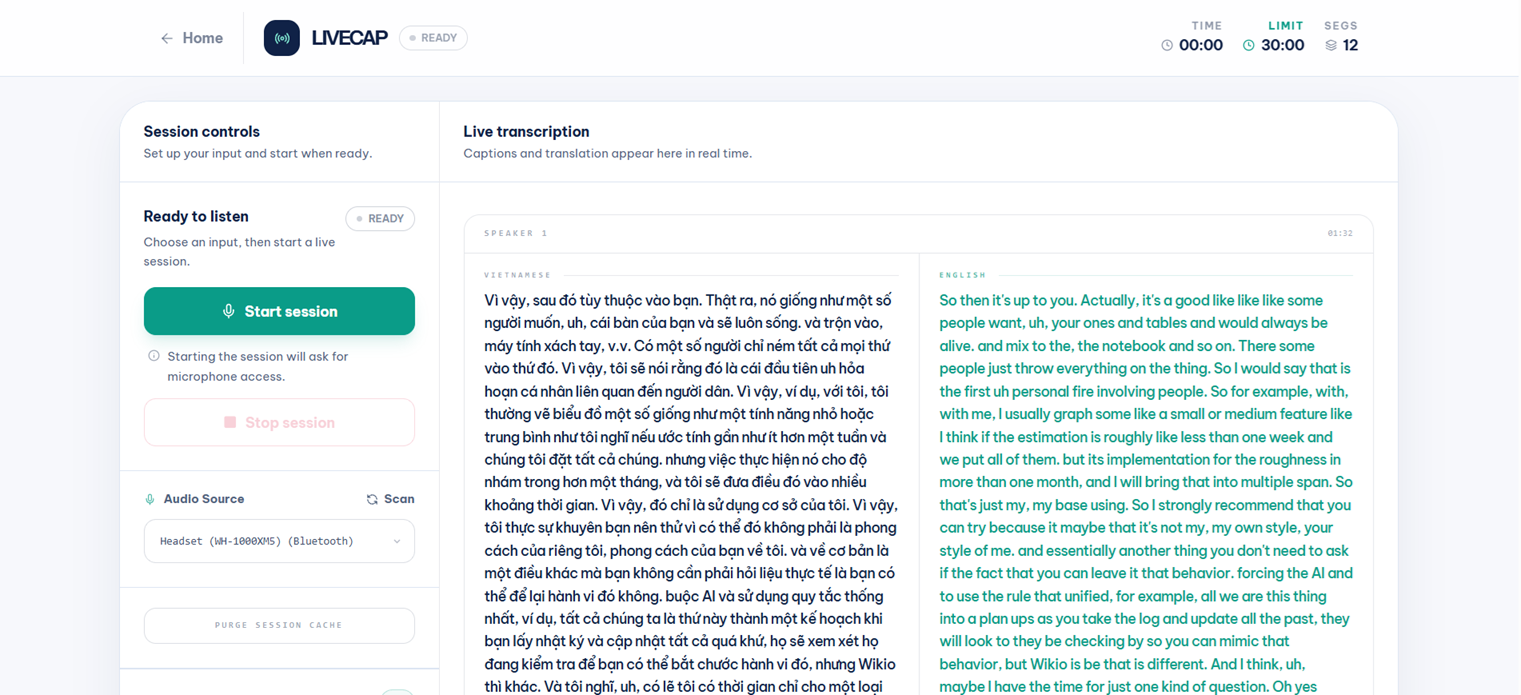
The dashboard provides Start session, Stop session, Download transcript, and PURGE SESSION CACHE controls; a 30-minute session timer with elapsed time; audio source selection; real-time connection state badge (READY / WAKING / LIVE / LOST); side-by-side Vietnamese and English transcription; and reconnect/error states across desktop and mobile layouts. Only finalized segments are retained and made available for export.
Connection Error States
If the WebSocket connection is lost (e.g., backend timed out due to silence or network issue), the dashboard shows a LOST badge and error toasts:
- SYSTEM ERROR – red toast with the specific error message (e.g., “Your request timed out because no new audio was received for 15 seconds.”)
- STREAM DISRUPTED – yellow warning toast asking user to verify internet and restart
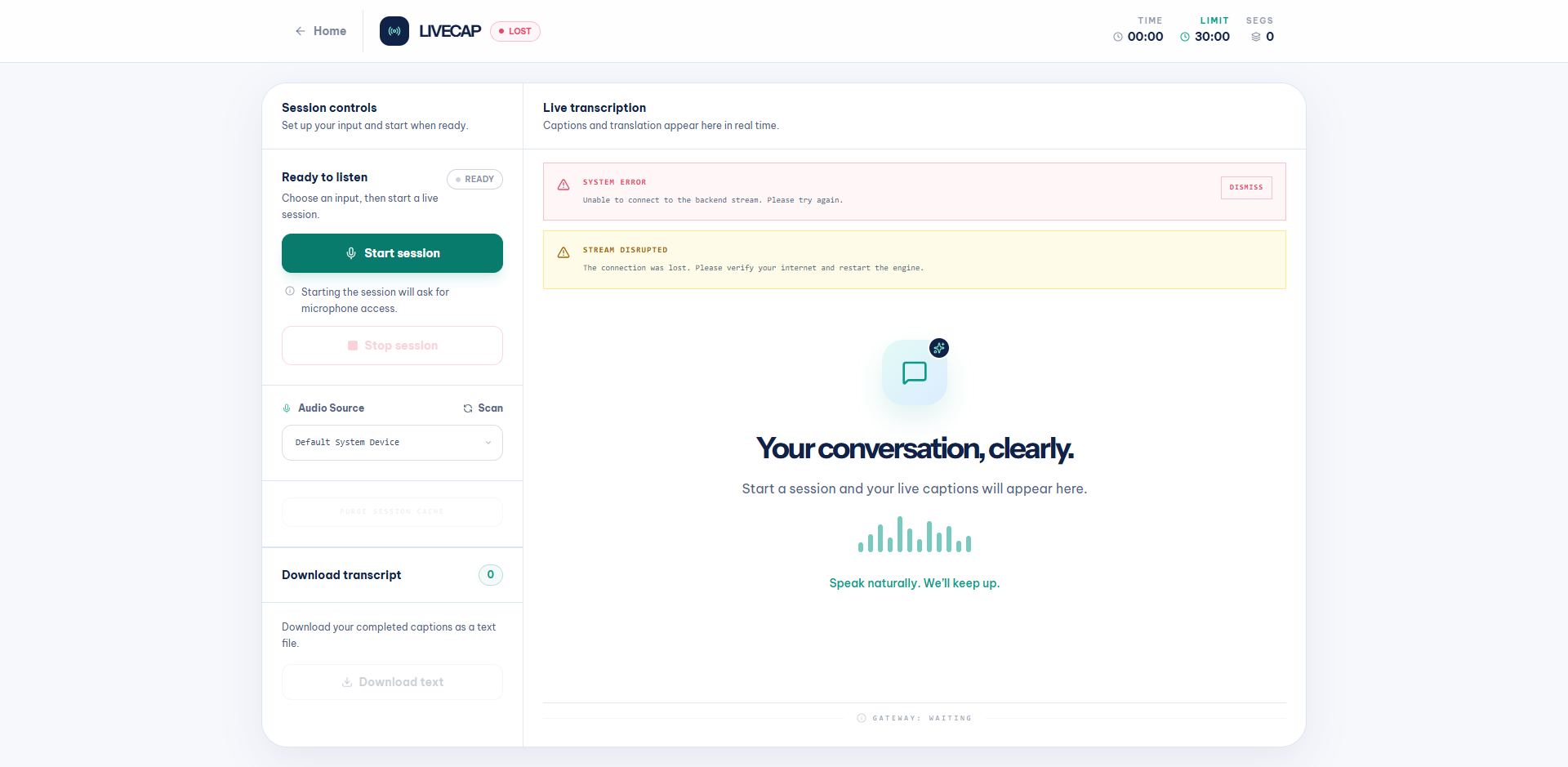
Click DISMISS on the system error, then Start session again to reconnect.
What If Microphone Access Is Denied?
If the browser blocks microphone access, LiveCap stops before opening any
stream and displays a HARDWARE ACCESS ERROR message in the main panel instead
of leaving a broken session open. Allow microphone access in the browser site
settings and reload /app.