Deploy & Verify ECS Fargate Service
Step 1 – Task Definition is Managed by Terraform
The LiveCap task definition is managed entirely by Terraform –
do not register task definitions manually from a JSON file. When you update
the image tag in a Terraform variable and run terraform apply, Terraform
automatically registers a new task definition revision and triggers a rolling
update on the ECS service.
Key fields in the actual task definition:
| Field | Value |
|---|---|
| Family | livecap-target-backend-dev |
| Container name | livecap-backend |
| Image | <account>.dkr.ecr.ap-southeast-1.amazonaws.com/livecap-backend:<sha>-amd64 |
| Port mapping | Container 8000 → Host 8000 |
| CPU | 256 (0.25 vCPU) |
| Memory | 512 MB |
| Execution role | livecap-execution-role (pulls image, writes logs) |
| Task role | livecap-task-role (calls Transcribe, Translate, S3) |
| Network mode | awsvpc |
To inspect the currently running revision:
aws ecs describe-task-definition `
  --task-definition livecap-target-backend-dev `
  --region ap-southeast-1 --profile <aws-profile> `
  --query "taskDefinition.{Family:family, Revision:revision, Image:containerDefinitions[0].image}"
Step 2 – Update the ECS Service via Terraform
The correct service in the cluster is livecap-target-service-dev.
Terraform is the recommended way to update the service – it handles dependency
ordering correctly and prevents drift:
# Check current service status
aws ecs describe-services `
  --cluster livecap-cluster-dev `
  --services livecap-target-service-dev `
  --region ap-southeast-1 --profile <aws-profile> `
  --query "services[0].{Status:status, Running:runningCount, Desired:desiredCount}"
If you need to force-deploy a new revision outside Terraform (dev only):
$cluster = "livecap-cluster-dev"
$service = "livecap-target-service-dev"
$taskDef = "livecap-target-backend-dev:<revision>"  # replace with actual revision number

aws ecs update-service `
  --cluster $cluster `
  --service $service `
  --task-definition $taskDef `
  --force-new-deployment `
  --region ap-southeast-1 `
  --profile <aws-profile>

# Wait until the service is stable
aws ecs wait services-stable `
  --cluster $cluster `
  --services $service `
  --region ap-southeast-1 `
  --profile <aws-profile>
Step 3 – Verify the Service is Running
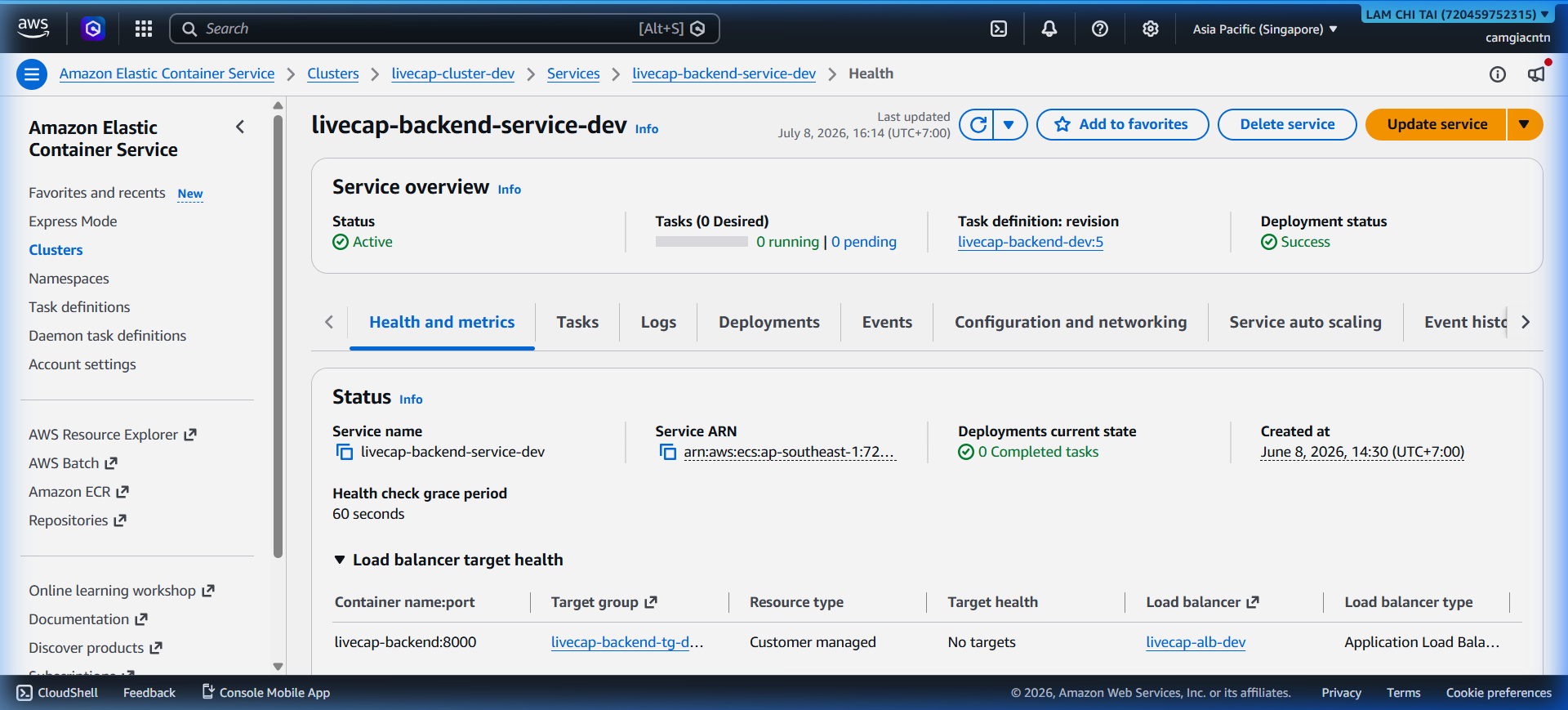
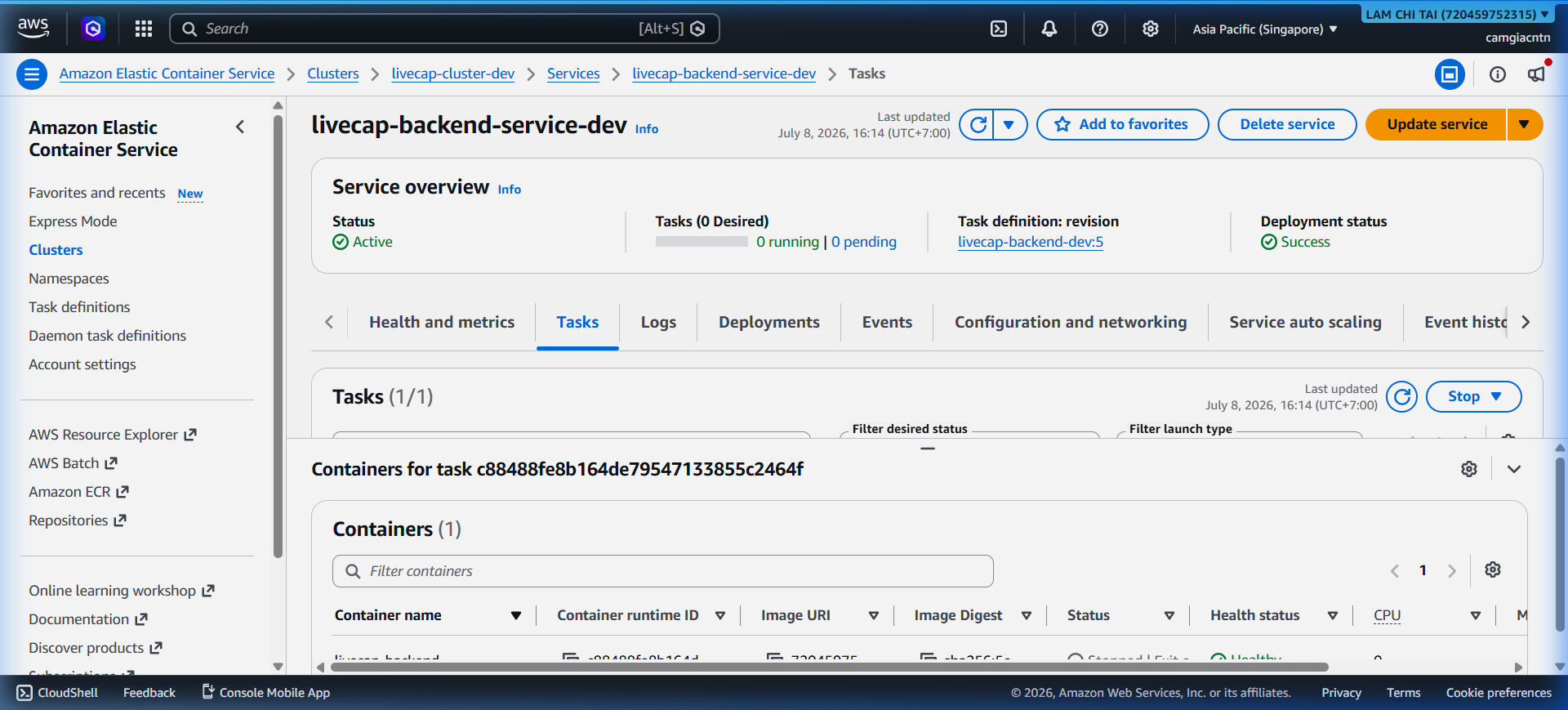
Check the service status from the console or CLI:
aws ecs describe-services `
  --cluster livecap-cluster-dev `
  --services livecap-target-service-dev `
  --region ap-southeast-1 --profile <aws-profile> `
  --query "services[0].{Status:status,Running:runningCount,Desired:desiredCount}"
Expected output:
{
  "Status": "ACTIVE",
  "Running": 1,
  "Desired": 1
}
The AWS Console shows the service with one running task:
Step 4 – Verify the ALB Health Check
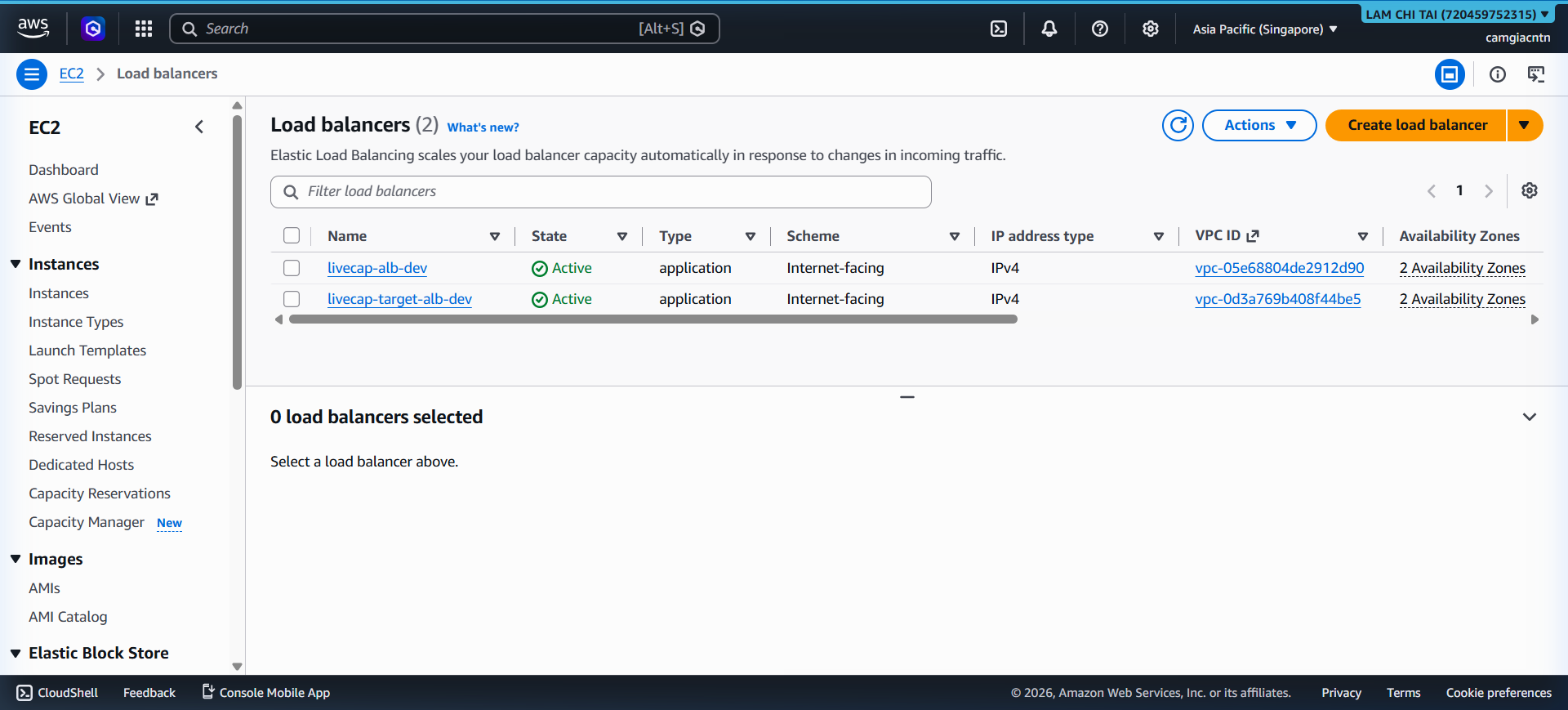
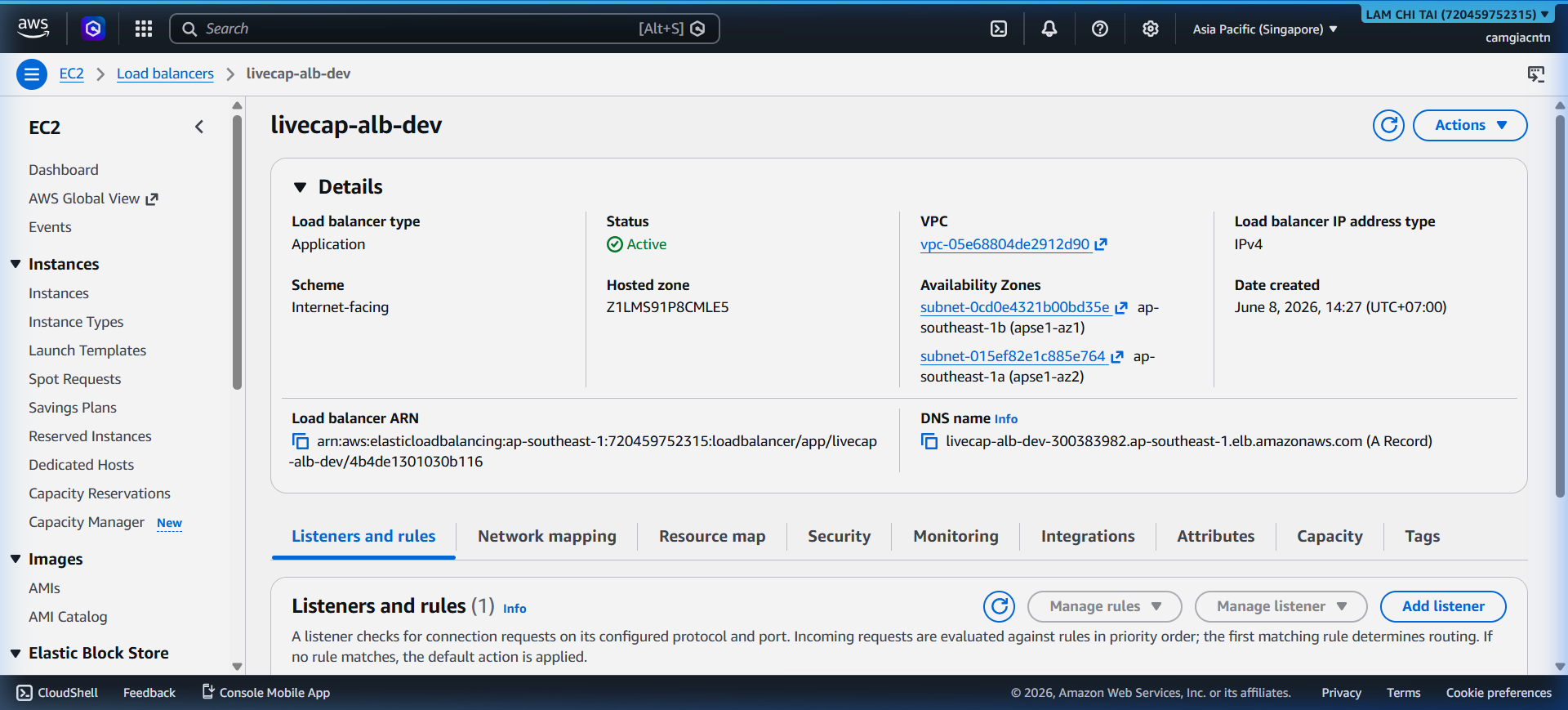
The ALB checks /api/health on port 8000 every 30 seconds. Only targets that
pass the health check receive traffic.
View the ALB and its target group in the console:
Test the health endpoint directly through CloudFront:
Invoke-RestMethod https://dpeohr327wt9l.cloudfront.net/api/health
Expected response:
{"status": "healthy", "version": "1.0.0"}
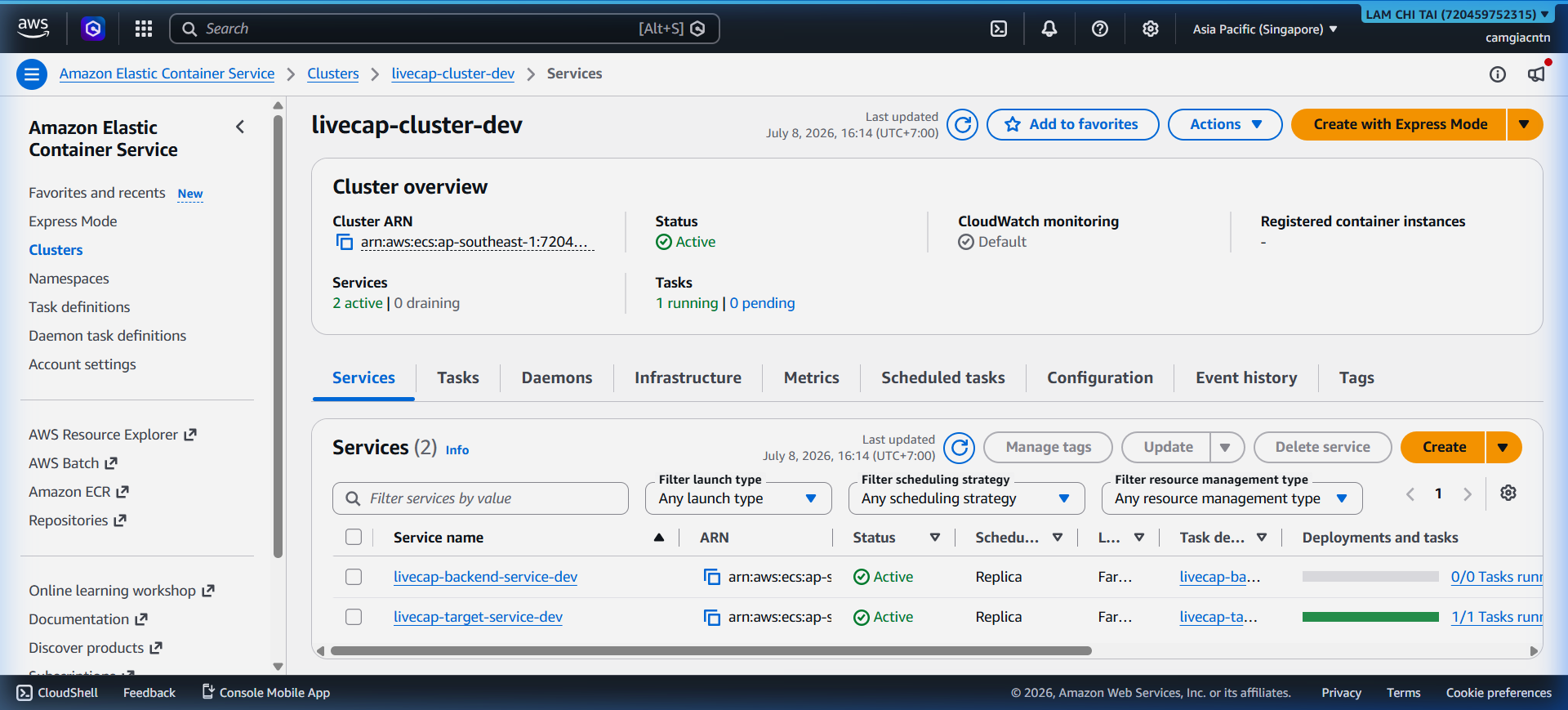
Step 5 – Verify the ECS Cluster
The cluster detail page shows all services, running tasks, and capacity providers. A healthy cluster has desired = running for all services.
Session Safety
Before the backend opens any Transcribe or Translate stream, it checks an in-memory session registry:
- Maximum 4 concurrent sessions globally (process-wide)
- Maximum 1 active session per client IP
Rejected clients receive a TOO_MANY_SESSIONS WebSocket close message without
incurring any AI service cost. Every session exit path (stop, timeout, error,
disconnect) cleans up audio queues, worker tasks, and the registry entry.