Prerequisites
Before you follow this workshop hands-on, make sure you have everything below in place. Skipping any item will cause the deployment or tests to fail partway through.
AWS Account and IAM Access
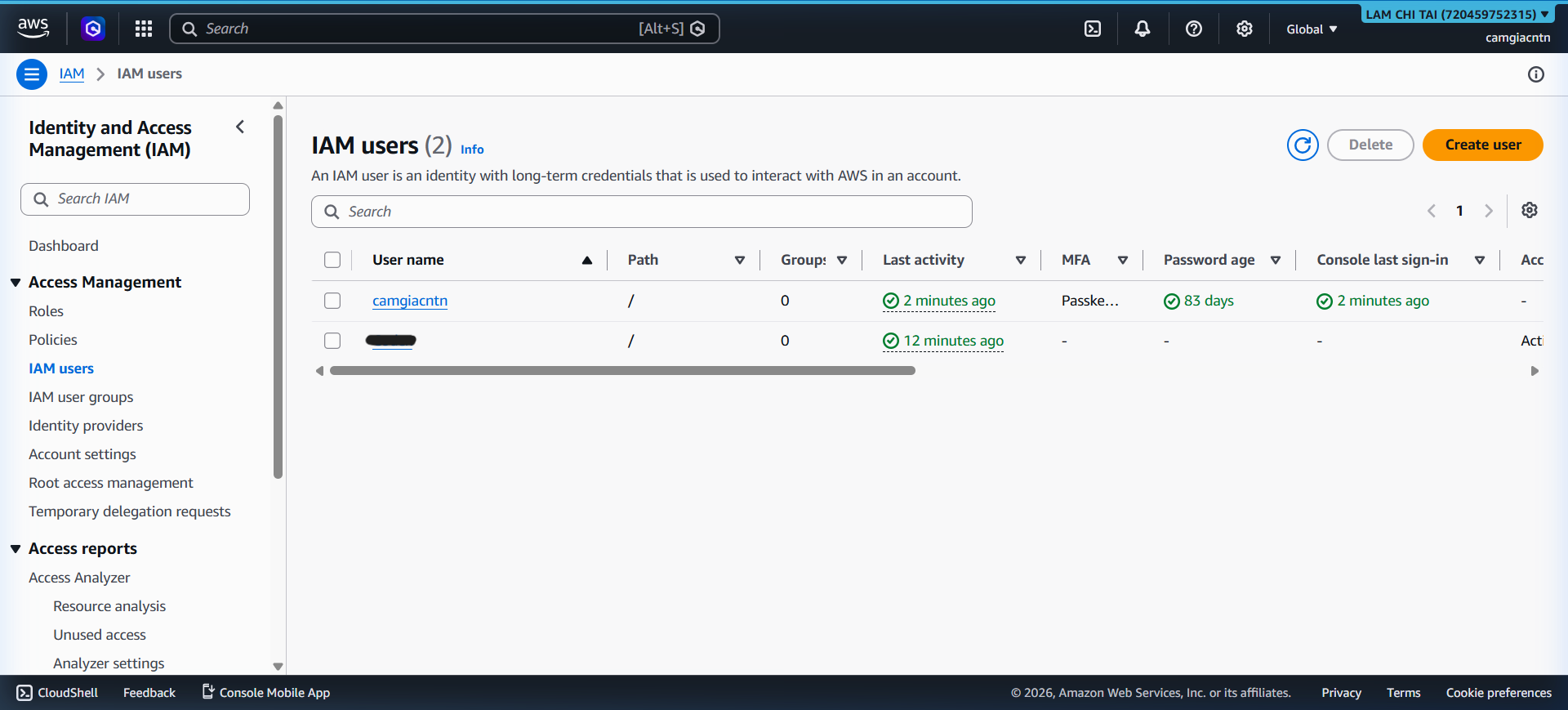
You need an AWS account and an IAM identity that has the permissions below. Do not use the root account for any deployment step.
Create a dedicated IAM user (e.g. camgiacntn as used in this project) and
attach a custom policy that grants the actions below:
| Permission area | Actions needed |
|---|---|
| ECR | ecr:GetAuthorizationToken, ecr:BatchCheckLayerAvailability, ecr:PutImage, ecr:InitiateLayerUpload, ecr:UploadLayerPart, ecr:CompleteLayerUpload, ecr:DescribeRepositories, ecr:ListImages |
| ECS | ecs:RegisterTaskDefinition, ecs:UpdateService, ecs:DescribeServices, ecs:DescribeClusters, ecs:ListTasks, ecs:DescribeTasks |
| S3 | s3:ListBucket, s3:PutObject, s3:GetObject, s3:DeleteObject, s3:GetBucketLocation |
| CloudFront | cloudfront:CreateInvalidation, cloudfront:ListDistributions, cloudfront:GetDistribution |
| VPC & Networking | ec2:Describe*, ec2:CreateVpc, ec2:CreateSubnet, ec2:CreateInternetGateway, ec2:CreateNatGateway, ec2:CreateRouteTable, ec2:CreateSecurityGroup, and paired Delete*/Attach*/Detach* actions |
| ELB | elasticloadbalancing:* (required for ALB, listener, and target group) |
| Lambda | lambda:CreateFunction, lambda:UpdateFunctionCode, lambda:UpdateFunctionConfiguration, lambda:AddPermission, lambda:GetFunction, lambda:DeleteFunction |
| WAF | wafv2:CreateWebACL, wafv2:AssociateWebACL, wafv2:GetWebACL, wafv2:UpdateWebACL, wafv2:DeleteWebACL |
| CloudWatch Logs | logs:CreateLogGroup, logs:PutRetentionPolicy, logs:DescribeLogGroups, logs:DeleteLogGroup |
| Budgets | budgets:ModifyBudget, budgets:ViewBudget |
| STS | sts:GetCallerIdentity |
| IAM | iam:PassRole (required by Terraform to attach roles to ECS/Lambda), plus read-only actions to verify roles |
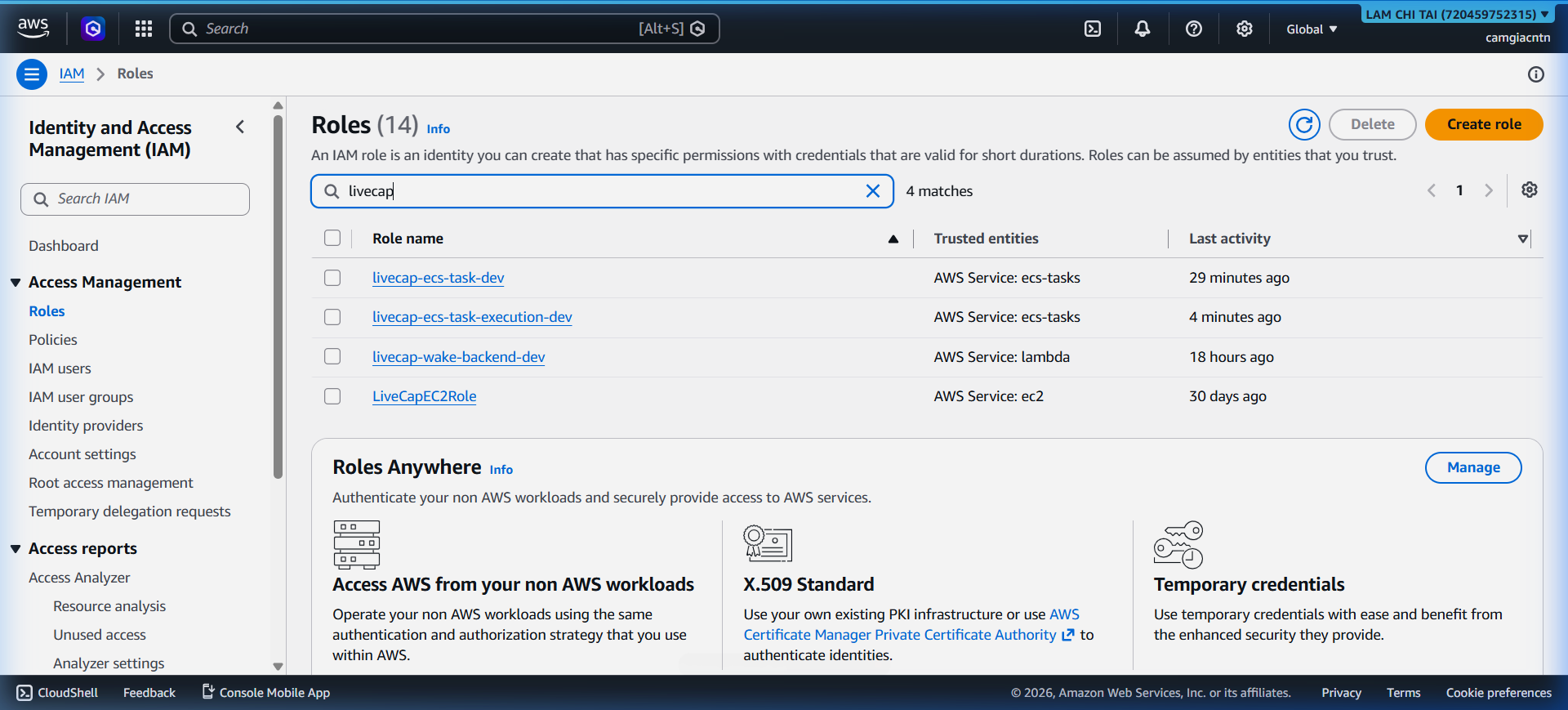
The live deployment uses IAM user camgiacntn (account 720459752315). The ECS
Fargate task uses a task role so it can call Transcribe, Translate, and S3
at runtime without any credentials in the container image.
Local Toolchain
Install the following tools before starting. Exact versions matter for Terraform and Python.
| Tool | Required version | Why |
|---|---|---|
| Python | 3.11+ | FastAPI backend and 204 unit tests |
| Node.js | 20 LTS | React/Vite build and 11 frontend tests |
Docker (with buildx) | Current stable | Build a linux/amd64 image for Fargate |
| AWS CLI | v2 | Authenticate to ECR, sync S3, create CloudFront invalidations |
| Terraform | 1.10.5 | Format and validate infrastructure code; apply requires manual review |
| Git | Any recent | Clone the repo and derive immutable image tags from commit SHAs |
| Gitleaks | Current stable | Scan for secrets before any git push |
Configure your AWS profile for the ap-southeast-1 region:
In this guide,
<aws-profile>means the operator’s local AWS CLI profile. For the LiveCap demonstration, we uselivecap-camgiacntnto run and present the commands. Readers should replace the placeholder with their own profile; never place access keys or secret keys in source code, Git, or screenshots.
aws configure --profile <aws-profile>
# AWS Access Key ID:     <your key>
# AWS Secret Access Key: <your secret>
# Default region:        ap-southeast-1
# Default output format: json
Verify access:
aws sts get-caller-identity --profile <aws-profile>
Expected output:
{
  "UserId": "AIDA...",
  "Account": "720459752315",
  "Arn": "arn:aws:iam::720459752315:user/camgiacntn"
}
Background Knowledge
This workshop moves faster if you already know:
- Docker basics: build, tag, push an image.
- AWS ECS/Fargate concepts: cluster, service, task definition, task role.
- WebSocket basics: how a browser upgrades HTTP to a bidirectional socket.
- S3 basics: buckets, objects, policies, presigned URLs.
- CloudFront basics: distributions, origins, behaviors, OAC.
- Terraform basics:
init,plan,apply, providers — enough to read the existing.tffiles without getting lost. - Python basics: enough to read FastAPI route handlers and pytest tests.
You do not need to be an expert in any of these. The workshop explains each step in detail.
Estimated Cost
Running LiveCap in AWS for a short workshop session costs very little, but some resources have fixed baseline costs while provisioned.
| Resource | Estimated cost |
|---|---|
ECS Fargate (0.25 vCPU, 0.5 GB, ap-southeast-1) | ~$0.011/hour |
| Application Load Balancer | ~$0.022/hour + LCU |
| NAT Gateway | ~$0.059/hour + data |
| CloudFront | First 1 TB free; $0.12/GB after |
| S3 | Negligible for workshop use |
| Amazon Transcribe Streaming | $0.024/minute of audio |
| Amazon Translate | $15/million characters (first 2M free/month) |
| AWS WAF | ~$5/Web ACL/month + $1/rule/month |
Tip: Run the Clean-up section at the end of the workshop to delete all resources and avoid ongoing charges. NAT Gateway and ALB are the largest fixed-cost items.
Safety Checklist Before Starting
- Not using the root account.
- IAM credentials are in
~/.aws/credentials, not in any.envfile. - Real
.env,terraform.tfvars,backend.hcl, and*.tfstatefiles are gitignored and will not be committed. - Gitleaks is installed and you will run it before every
git push. - You understand that
terraform destroyis a separate, reviewed step and must not be run automatically.