Week 3 Worklog
01/05/2026
Work Completed
Results Achieved
02/05/2026
Work Completed
- Discussed task management using GitHub Projects (Kanban).
- Prepared proposal content for the project.
- Evaluated ideas based on feasibility, AWS compatibility, and implementation capability.
- Planned the phase for system architecture design.
Results Achieved
- Identified potential project directions.
- Prepared the foundation for selecting the main idea next week.
- Began building the deployment plan and task division.
03/05/2026
Work Completed
- Studied fundamental concepts of AWS Networking: VPC, CIDR block, subnet, route table, Internet Gateway, NAT Gateway, Security Group, Network ACL, and Site-to-Site VPN.
- Created the main VPC for the lab using the public/private subnet pattern.
- Configured 2 public subnets and 2 private subnets across multiple Availability Zones.
- Created and attached an Internet Gateway to the main VPC.
- Created a route table for the public subnets with a route for 0.0.0.0/0 → Internet Gateway.
Results Achieved
- Understood how to design a basic network architecture on AWS with public and private subnets.
- Understood the roles of Internet Gateway, route tables, and Security Groups in controlling traffic.
- Successfully set up the baseline network infrastructure for the lab.
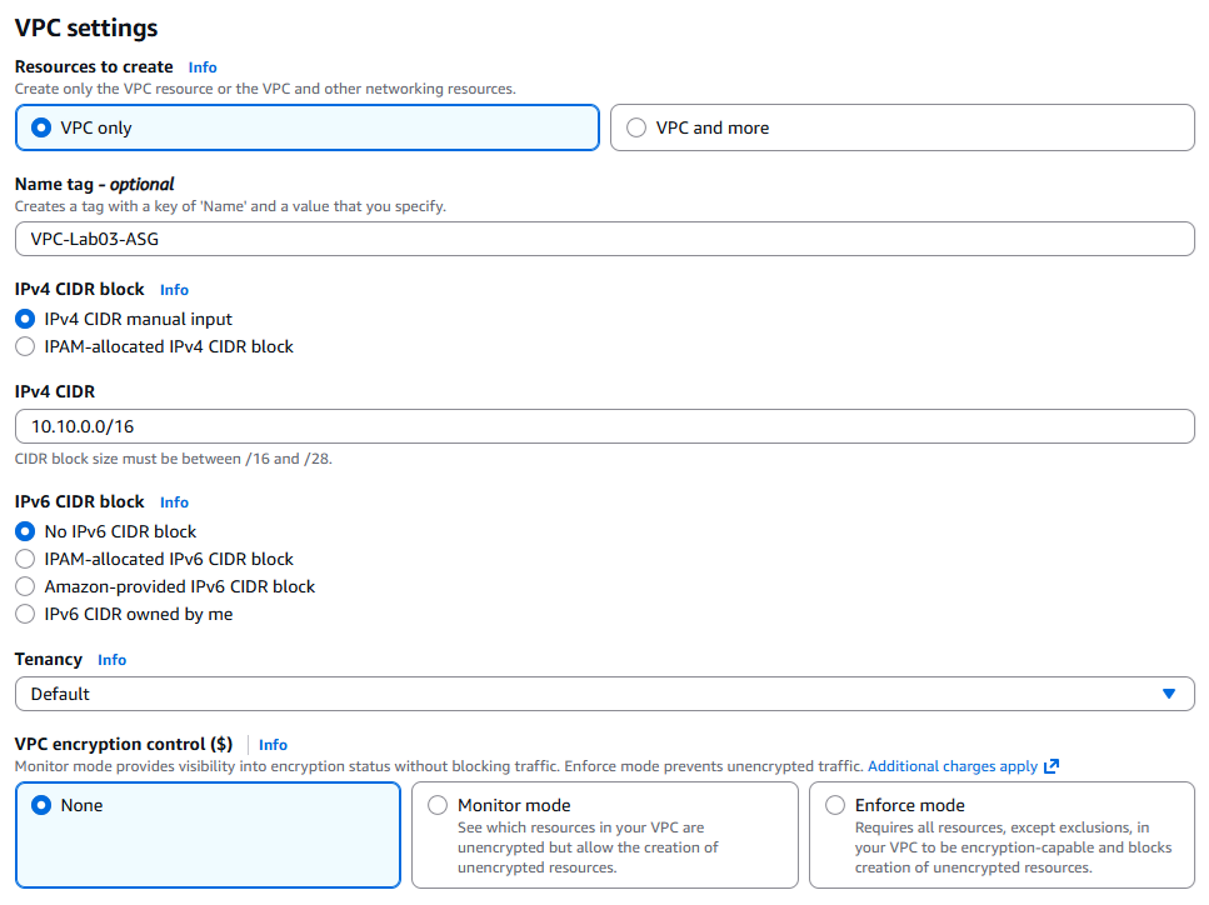
VPC configuration 10.10.0.0/16
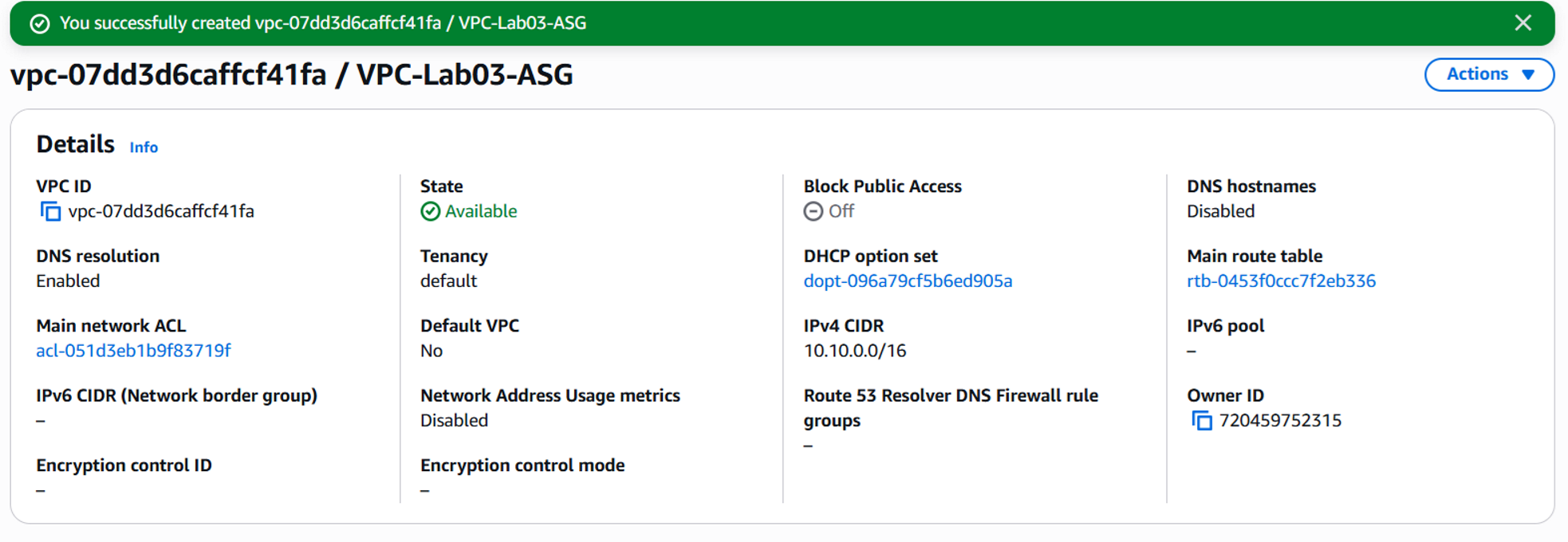
VPC-Lab03-ASG created successfully
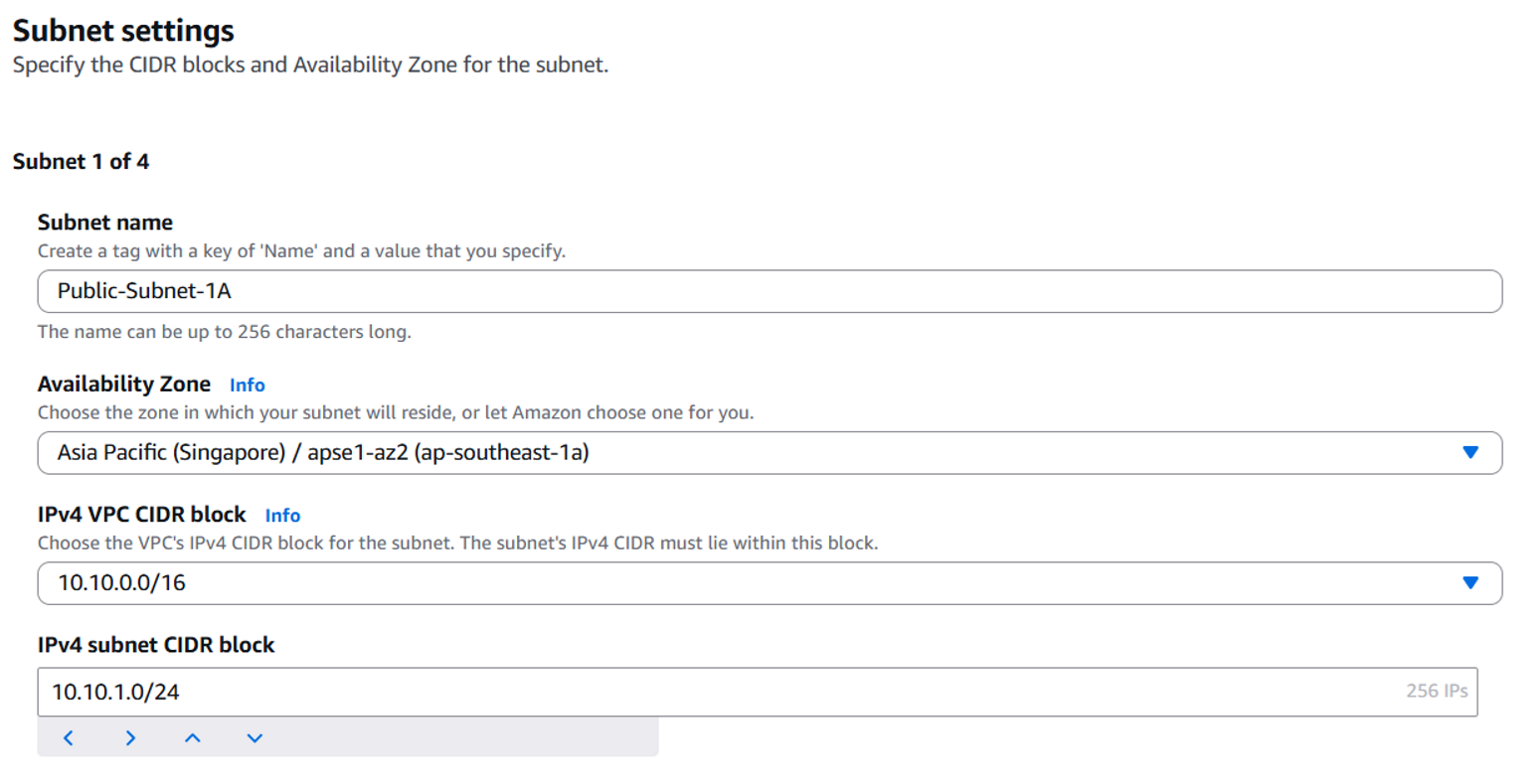
Public-Subnet-1A configuration
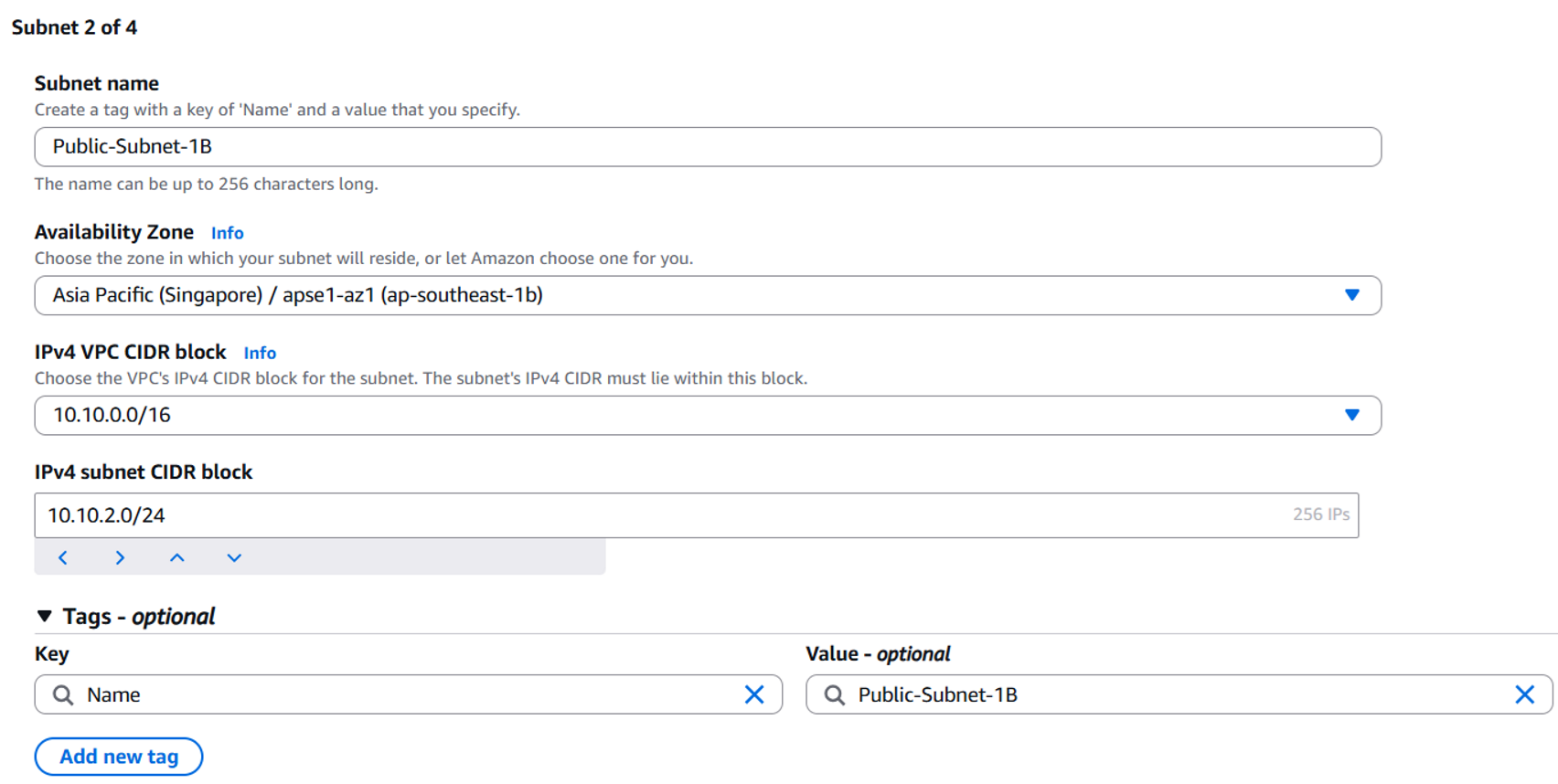
Public-Subnet-1B configuration
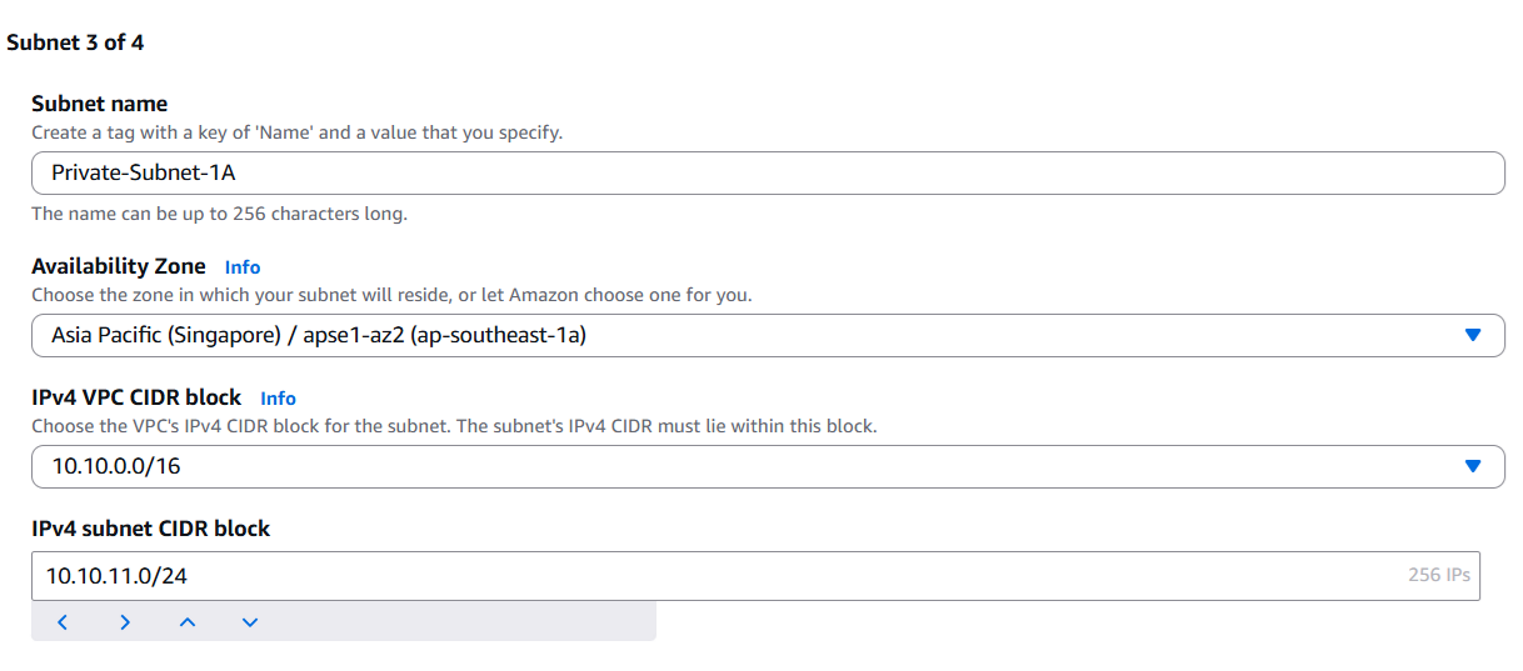
Private-Subnet-1A configuration
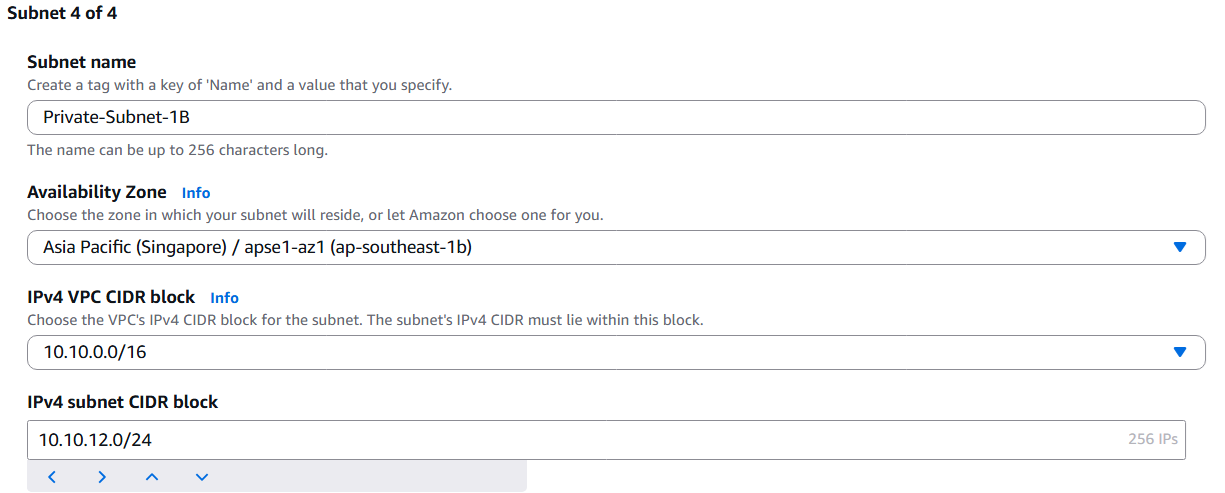
Private-Subnet-1B configuration
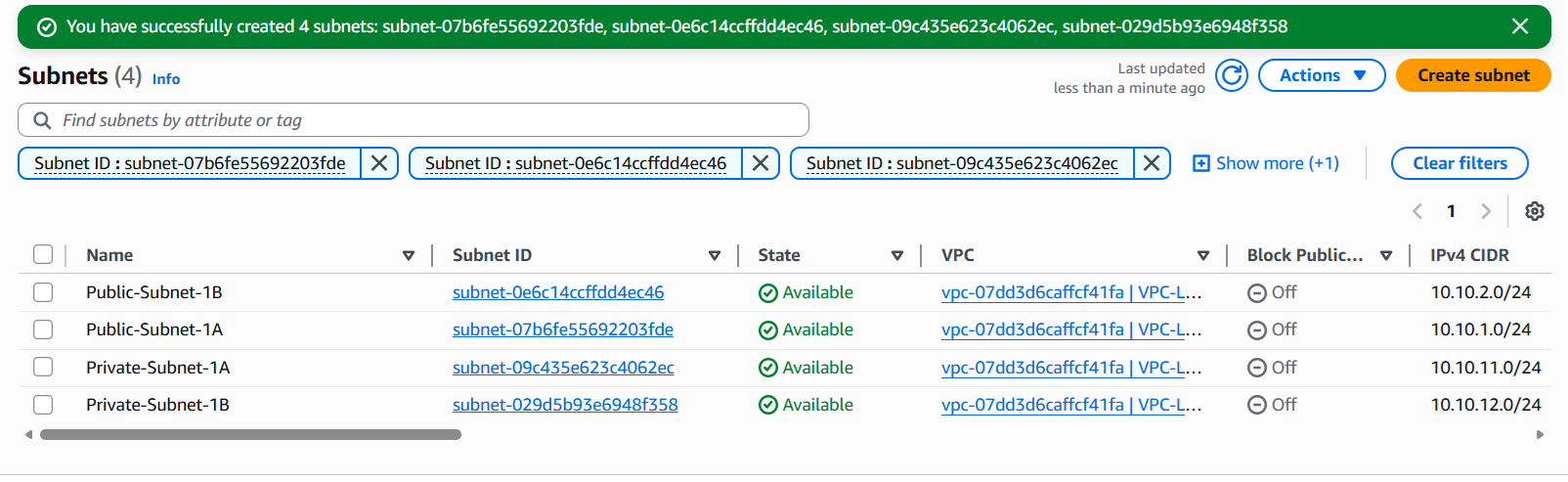
List of successfully created subnets
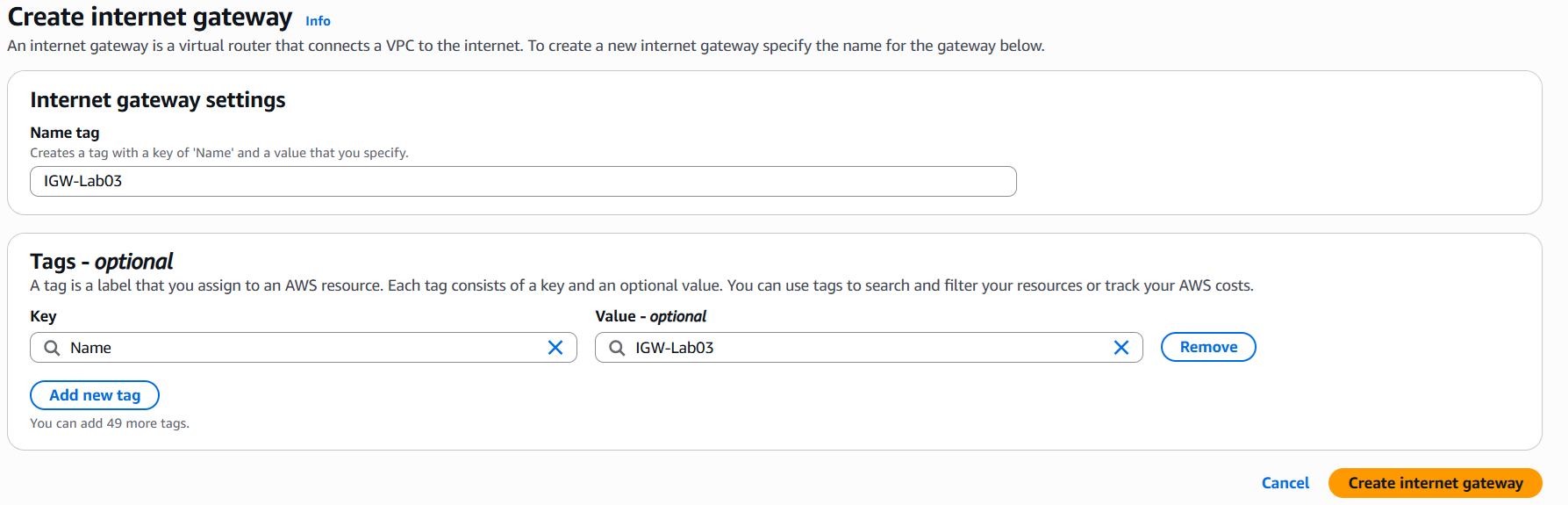
Created Internet Gateway (IGW-Lab03)
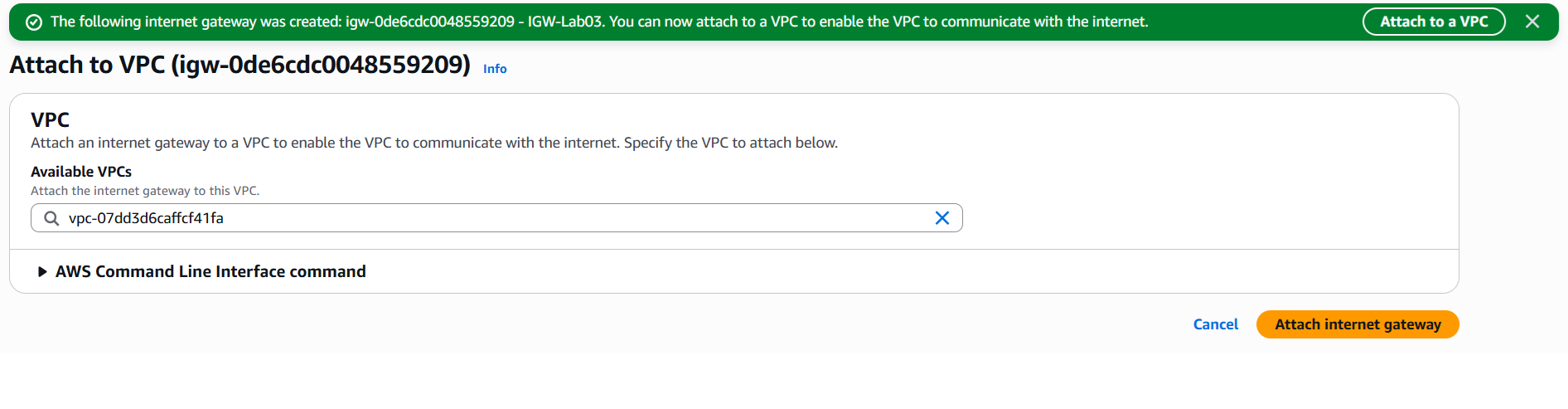
Attached Internet Gateway to VPC
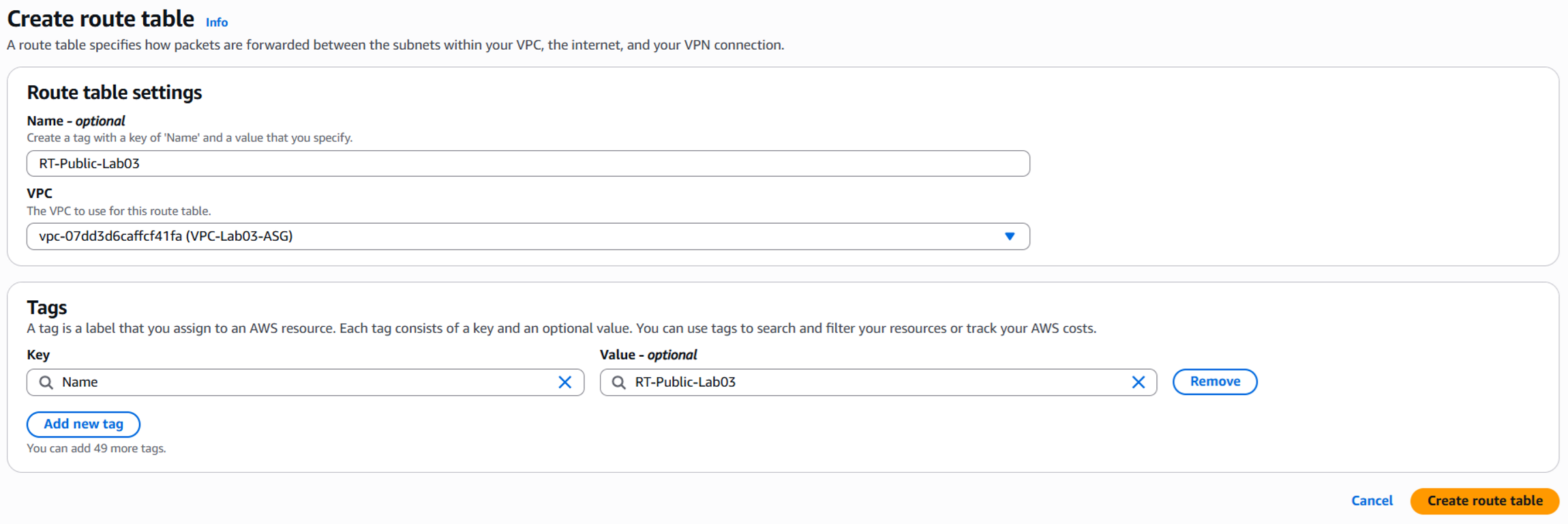
Created Route Table for Public Subnets
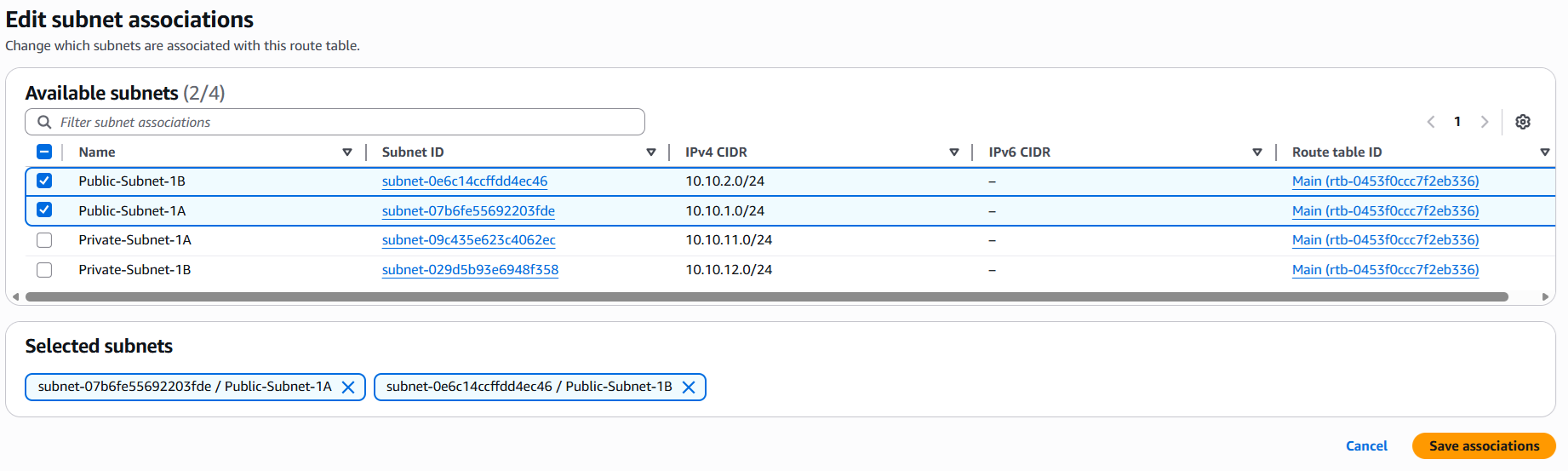
Associated subnets with Route Table
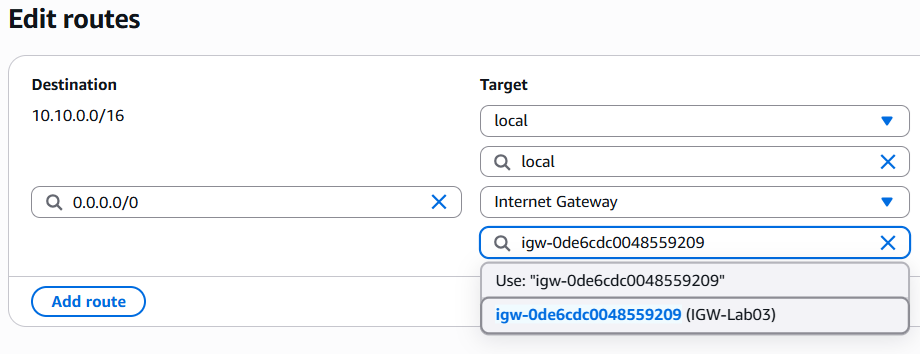
Added Route 0.0.0.0/0 to IGW
04/05/2026
Work Completed
- Created security groups for the public and private EC2 instances.
- Launched public and private EC2 instances using Amazon Linux 2023.
- Connected to the public EC2 instance via MobaXterm using the SSH key.
- Tested Internet connectivity from the public EC2 instance using ping and curl.
- Uploaded the key to the public EC2 and SSHed from the public EC2 to the private EC2 via private IP.
- Created an Elastic IP and NAT Gateway for the private subnets.
- Configured the private route table with a route of 0.0.0.0/0 → NAT Gateway.
- Verified that the private EC2 could access the Internet through the NAT Gateway.
Results Achieved
- Successfully configured the public EC2 to access the Internet.
- Successfully configured the private EC2 to connect outbound to the Internet through the NAT Gateway without having a public IP.
- Successfully practiced the SSH flow using a bastion host model: local machine → public EC2 → private EC2.
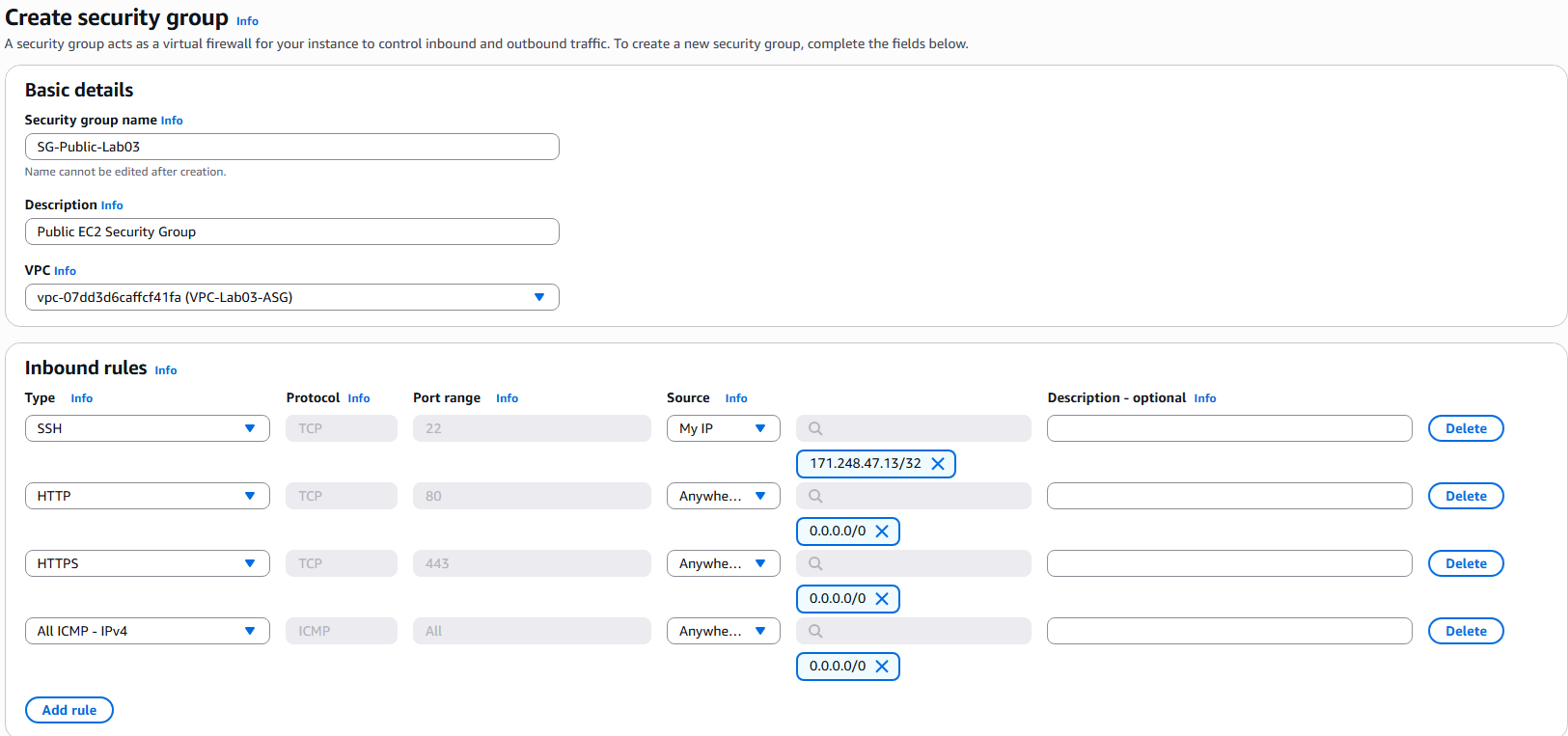
Created SG for Public EC2
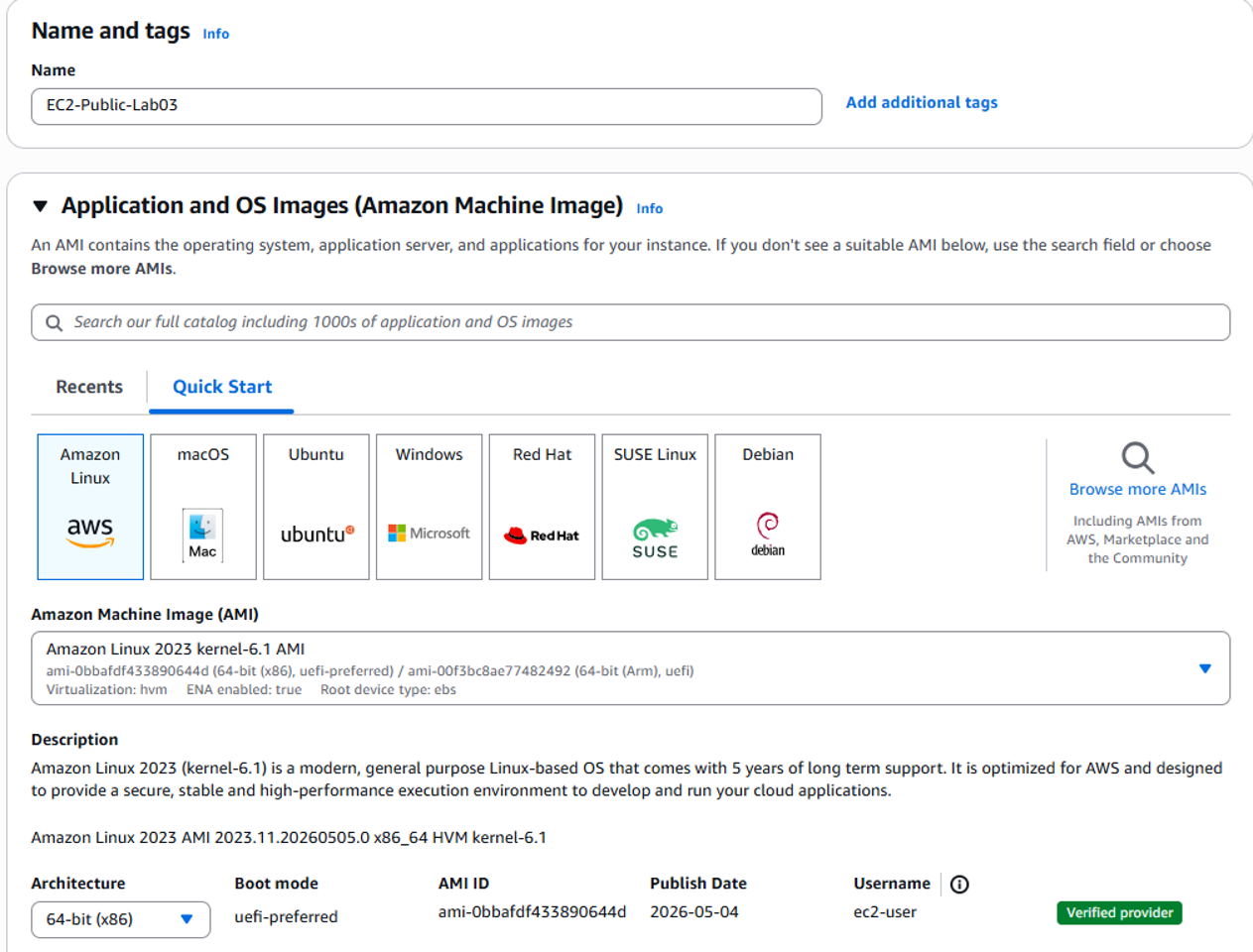
Launched EC2 Public (Amazon Linux 2023)
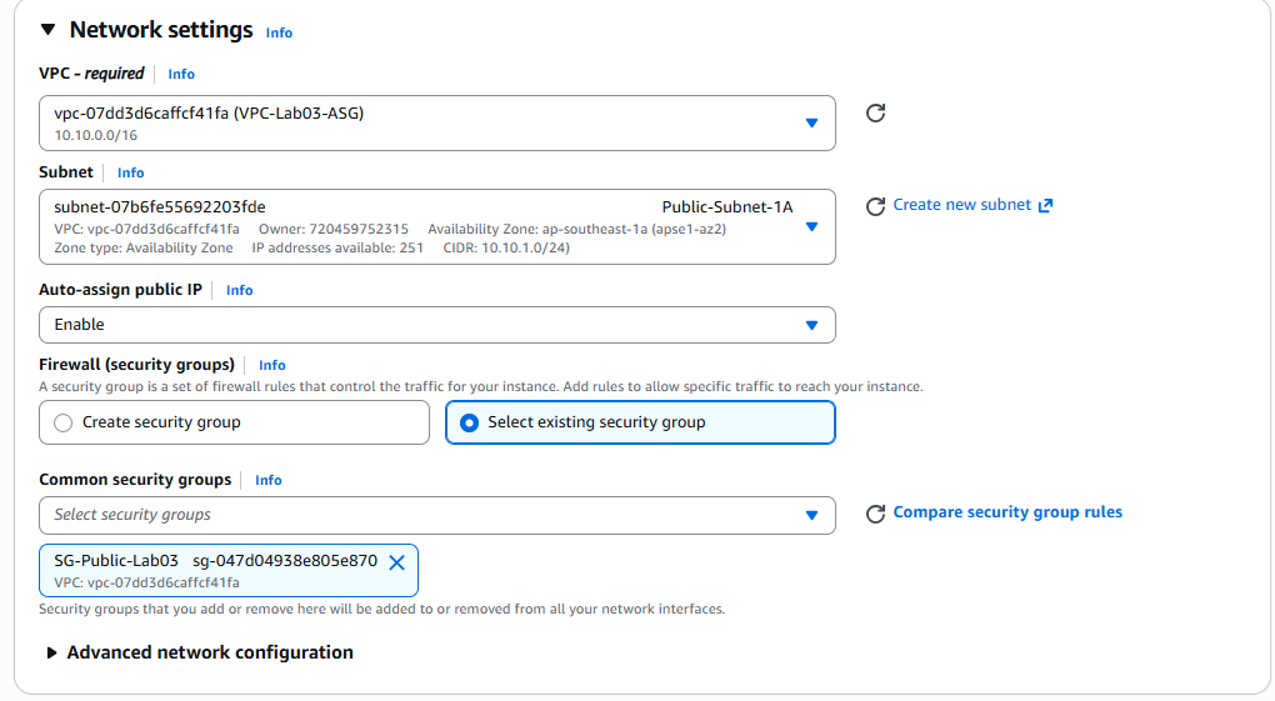
Network configuration for Public EC2
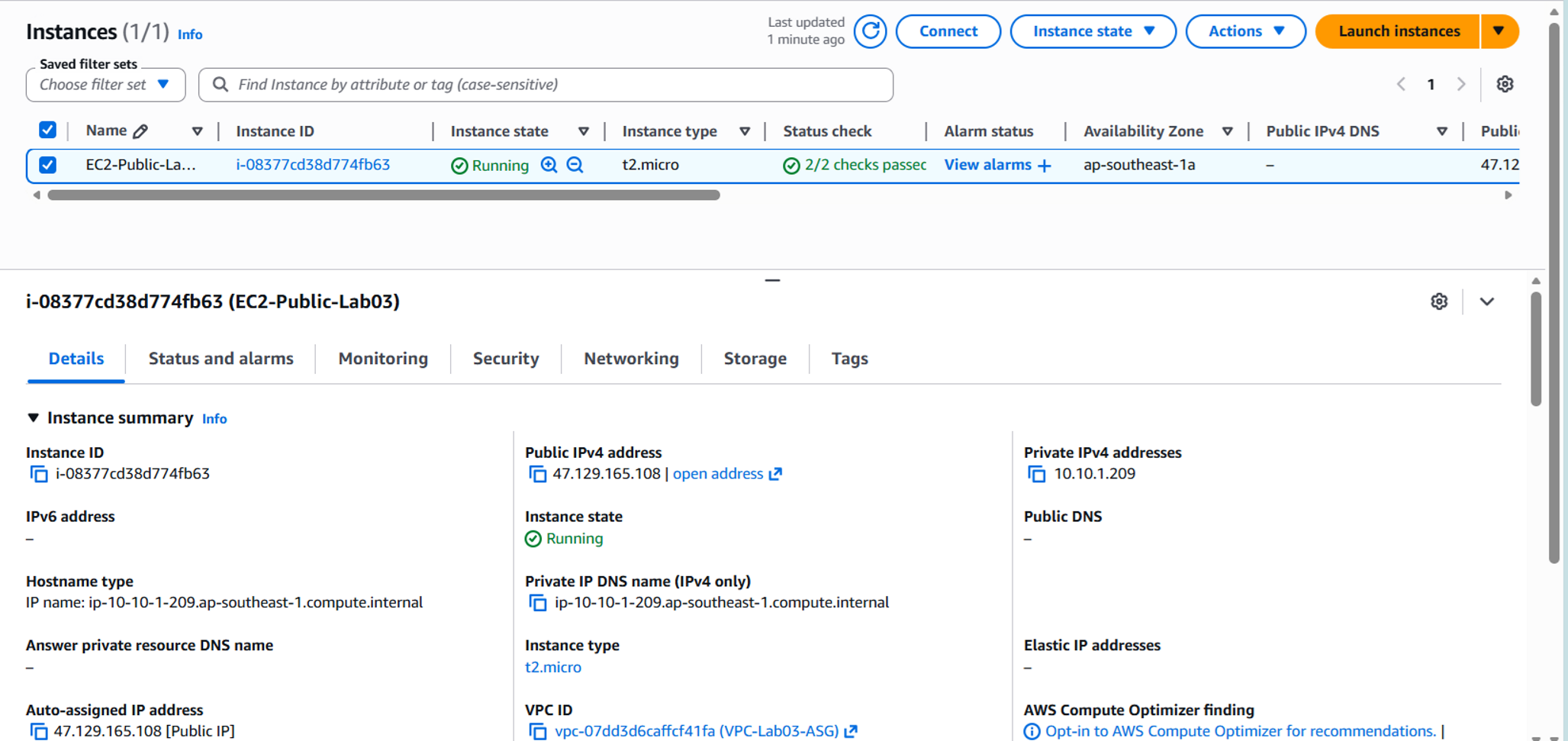
Public EC2 instance details
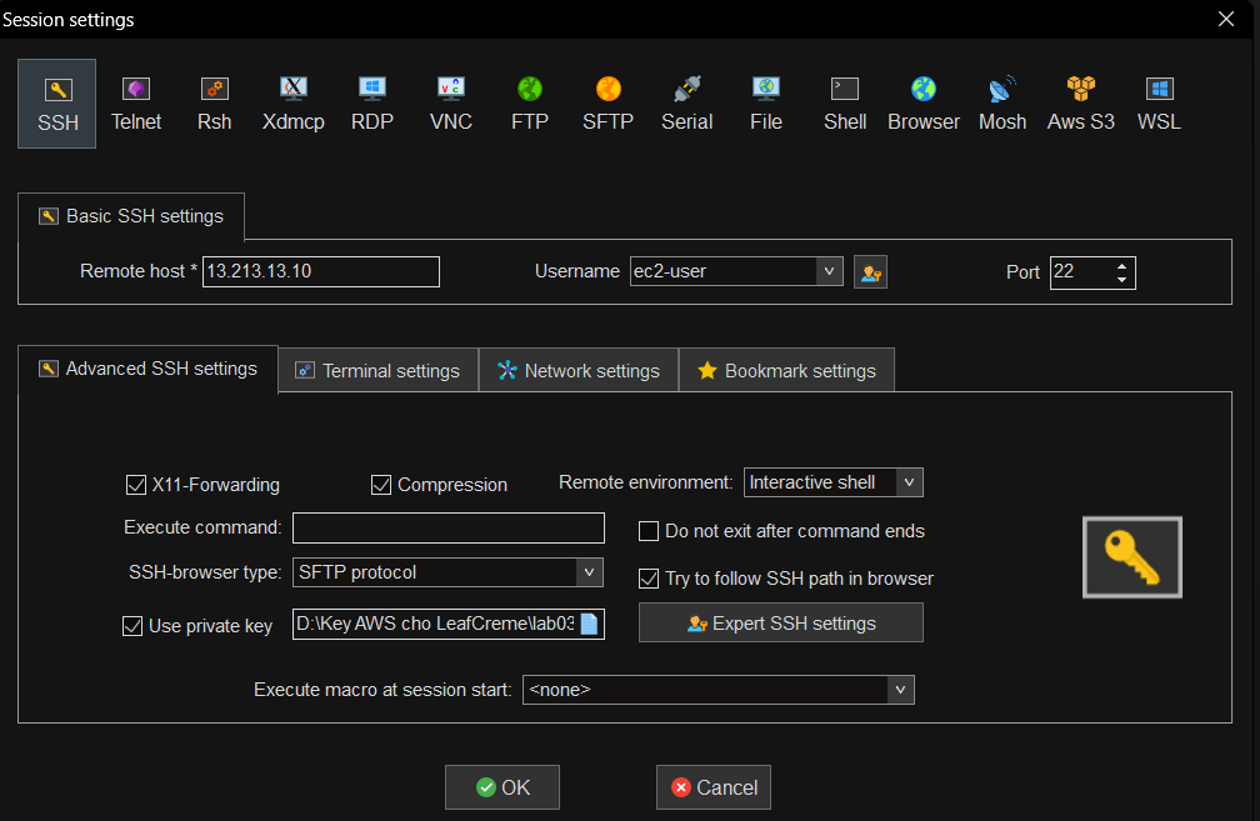
SSH session configuration in MobaXterm
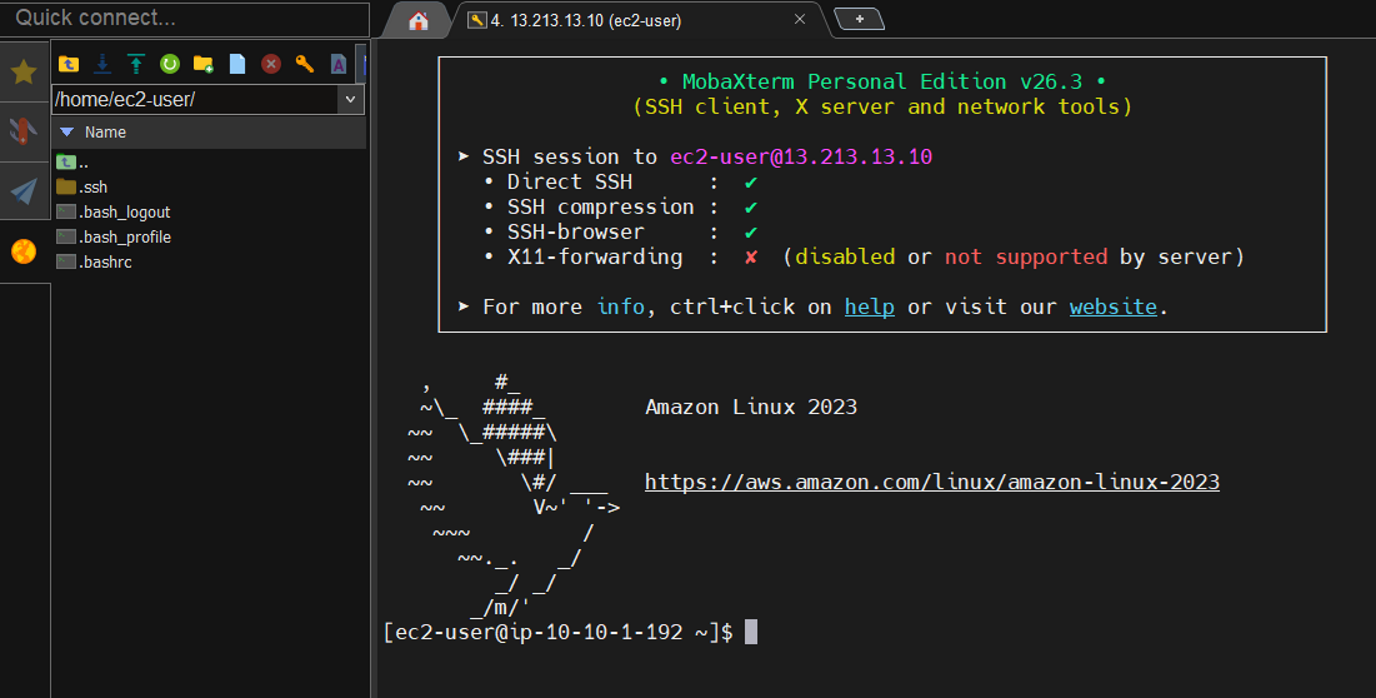
Successfully logged into Public EC2
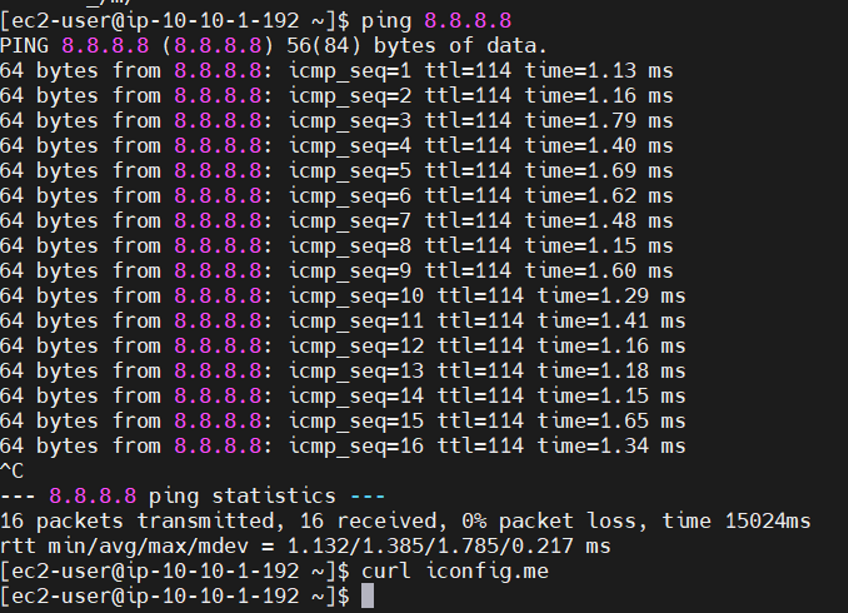
Verified Ping & Curl outbound traffic
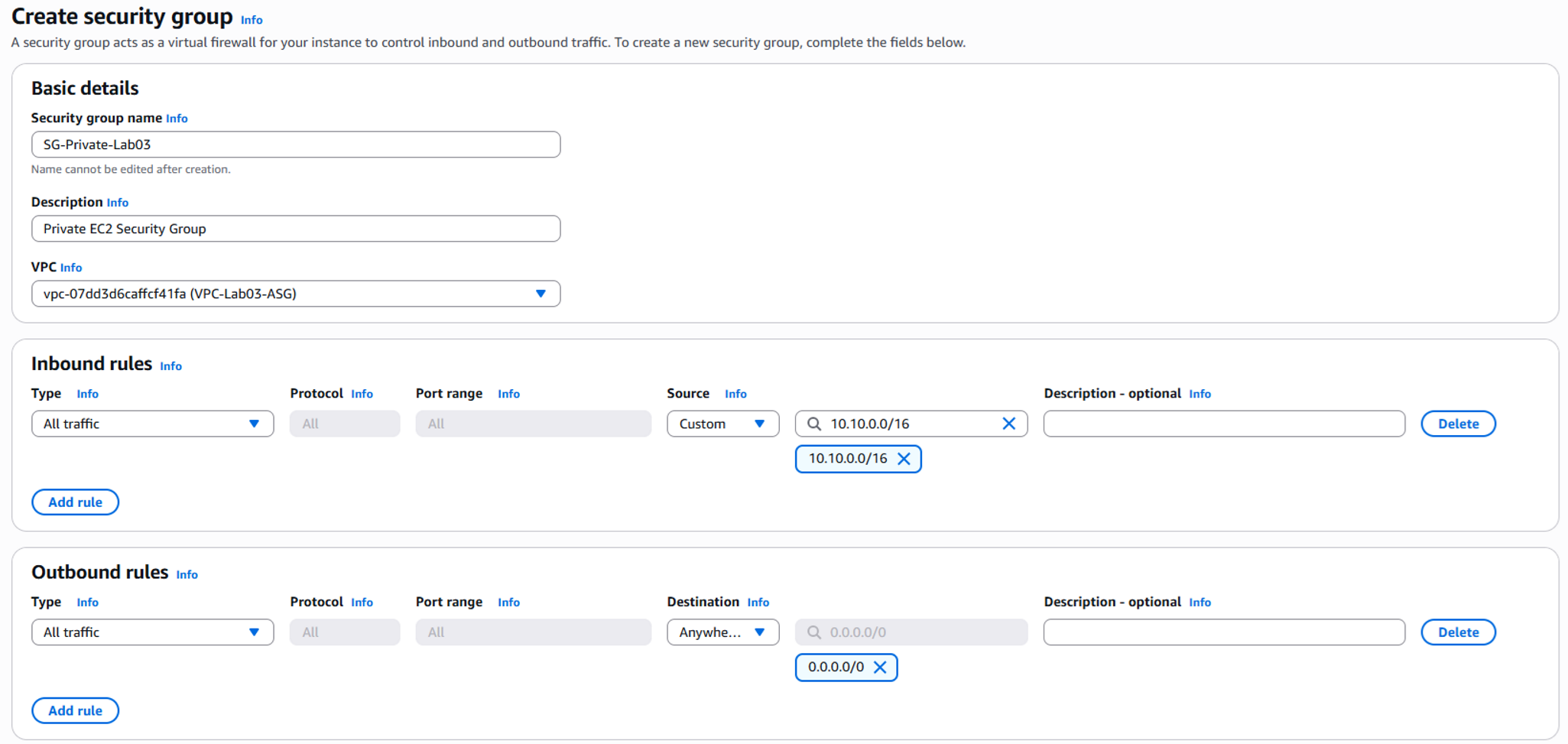
Created SG for Private EC2
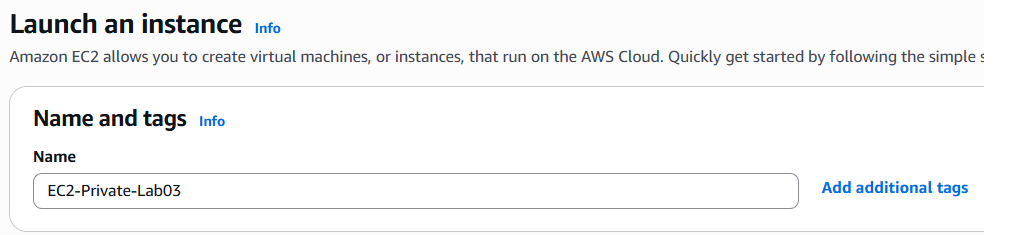
Launched EC2 Private
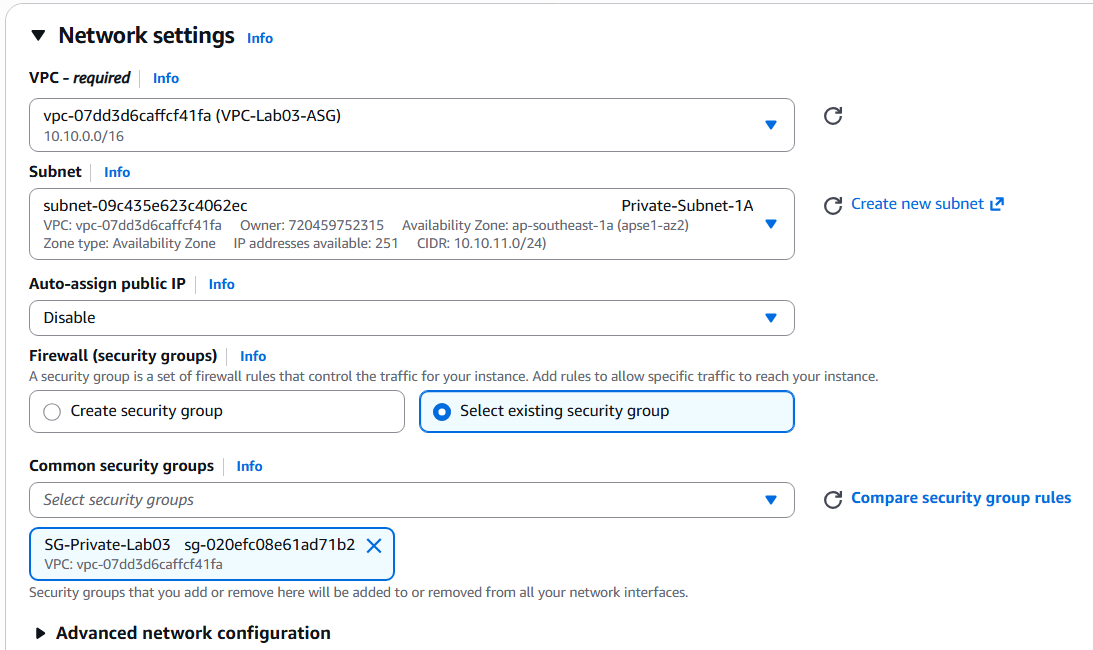
Network configuration for Private EC2
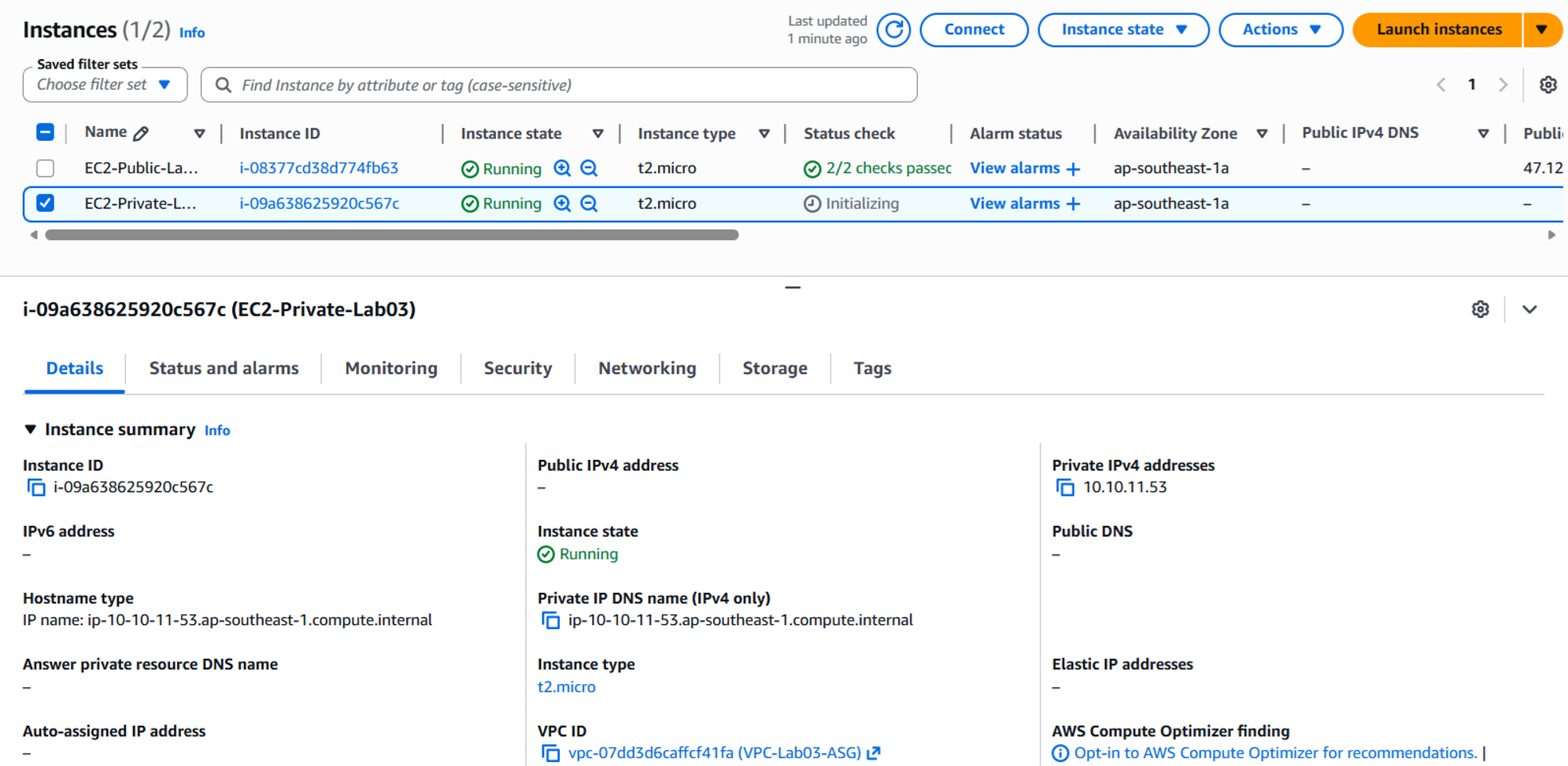
Both EC2 instances running
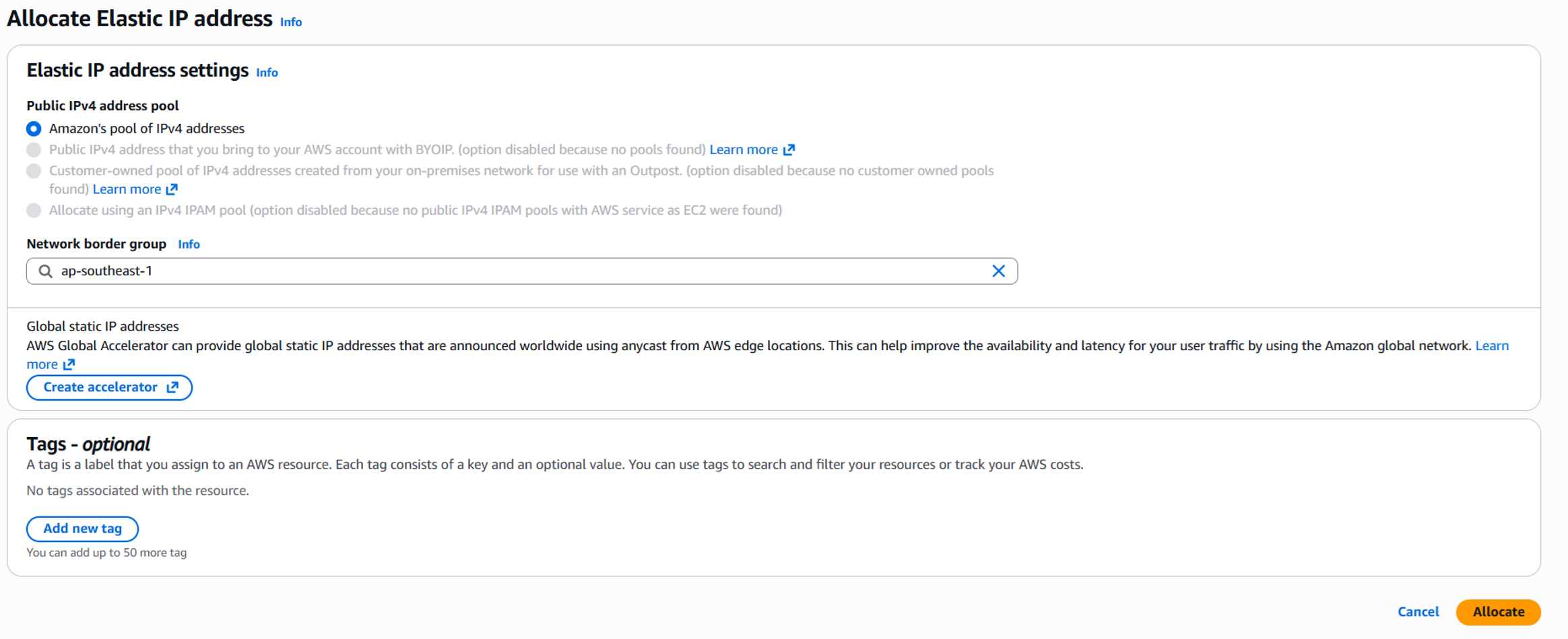
Allocating Elastic IP for NAT Gateway

Elastic IP allocated successfully
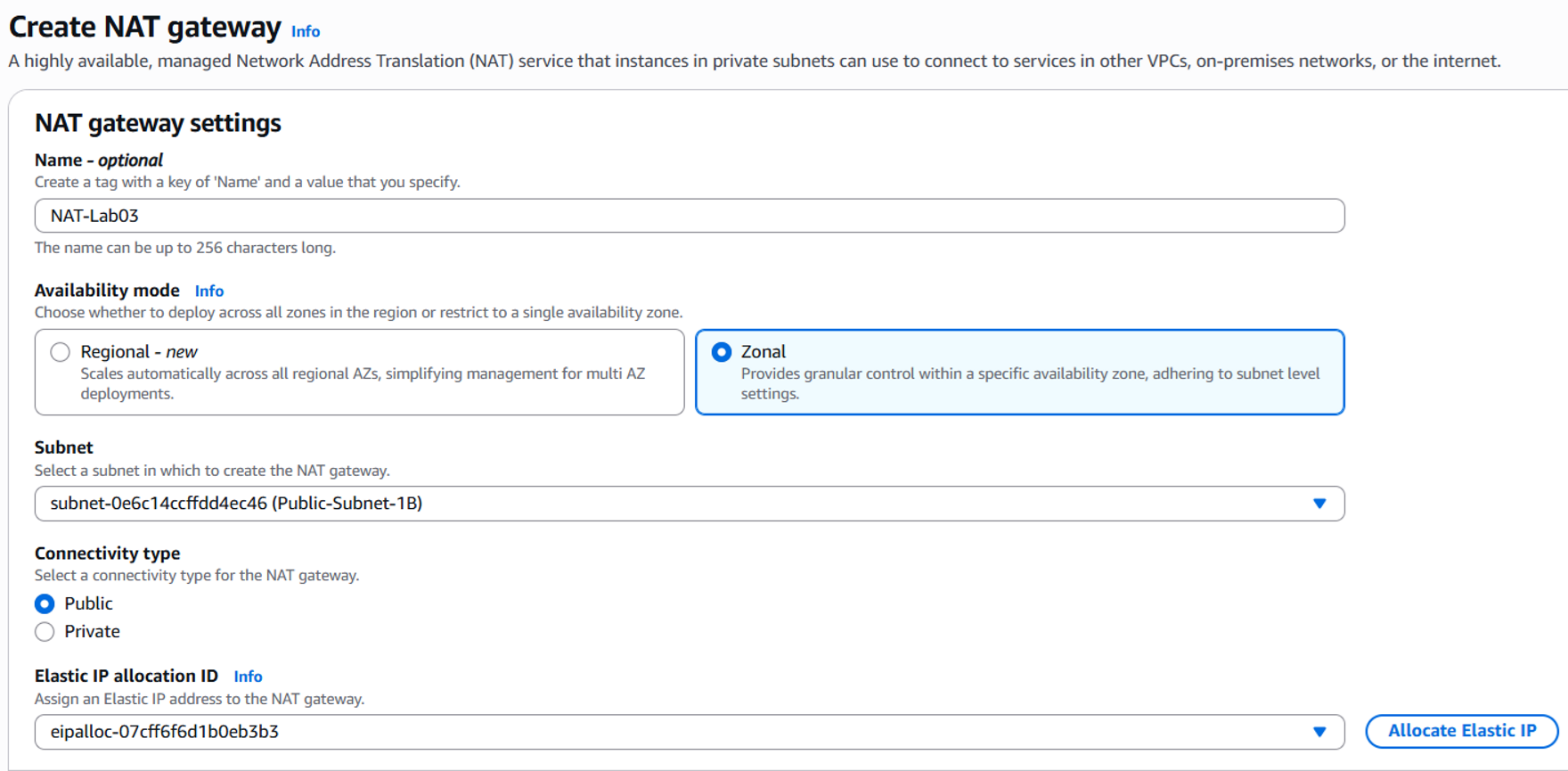
Created NAT Gateway (NAT-Lab03)
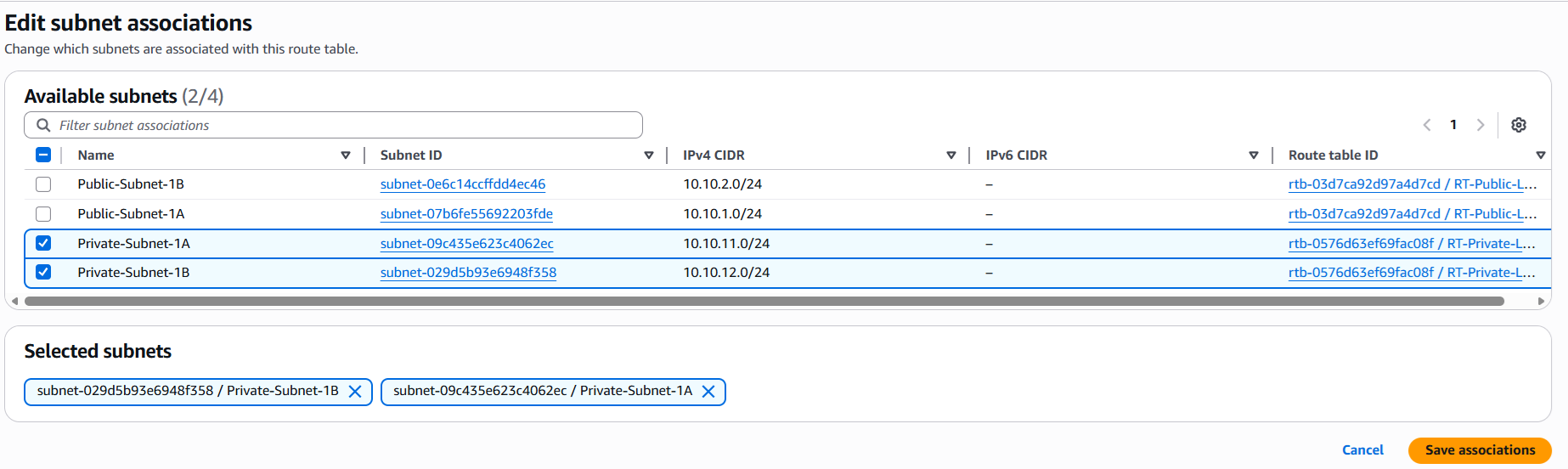
Associated private subnets with RT
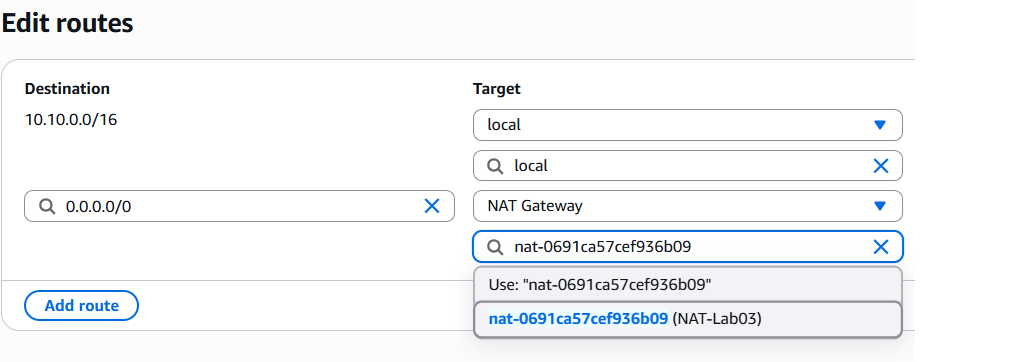
Added Route 0.0.0.0/0 to NAT Gateway
05/05/2026
Work Completed
- Created a VPC-OnPrem to simulate an on-premises environment.
- Created a public subnet, Internet Gateway, and route table for the VPC-OnPrem.
- Launched an EC2-CustomerGateway instance in the VPC-OnPrem.
- Assigned an Elastic IP to the EC2-CustomerGateway.
- Disabled Source/Destination Check on the EC2-CustomerGateway to allow it to function as a gateway/router.
- Created a Virtual Private Gateway and attached it to the main VPC.
- Created a Customer Gateway using the Elastic IP of the EC2-CustomerGateway.
- Created a Site-to-Site VPN Connection between the VGW and CGW.
Results Achieved
- Successfully set up a VPC-OnPrem environment to simulate an on-premises network.
- Successfully initiated a Site-to-Site VPN connection between AWS VPC and the VPC-OnPrem.
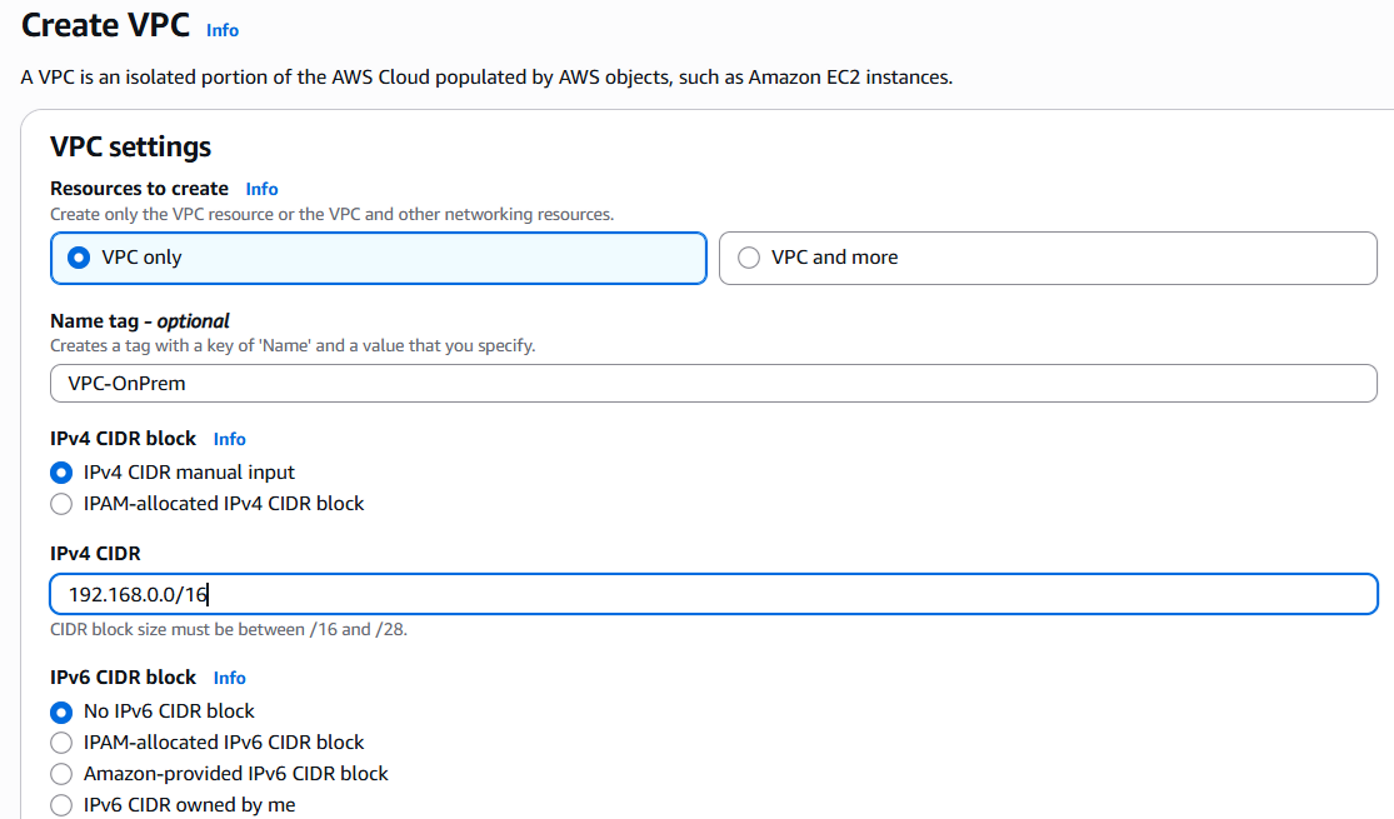
Created VPC-OnPrem 192.168.0.0/16
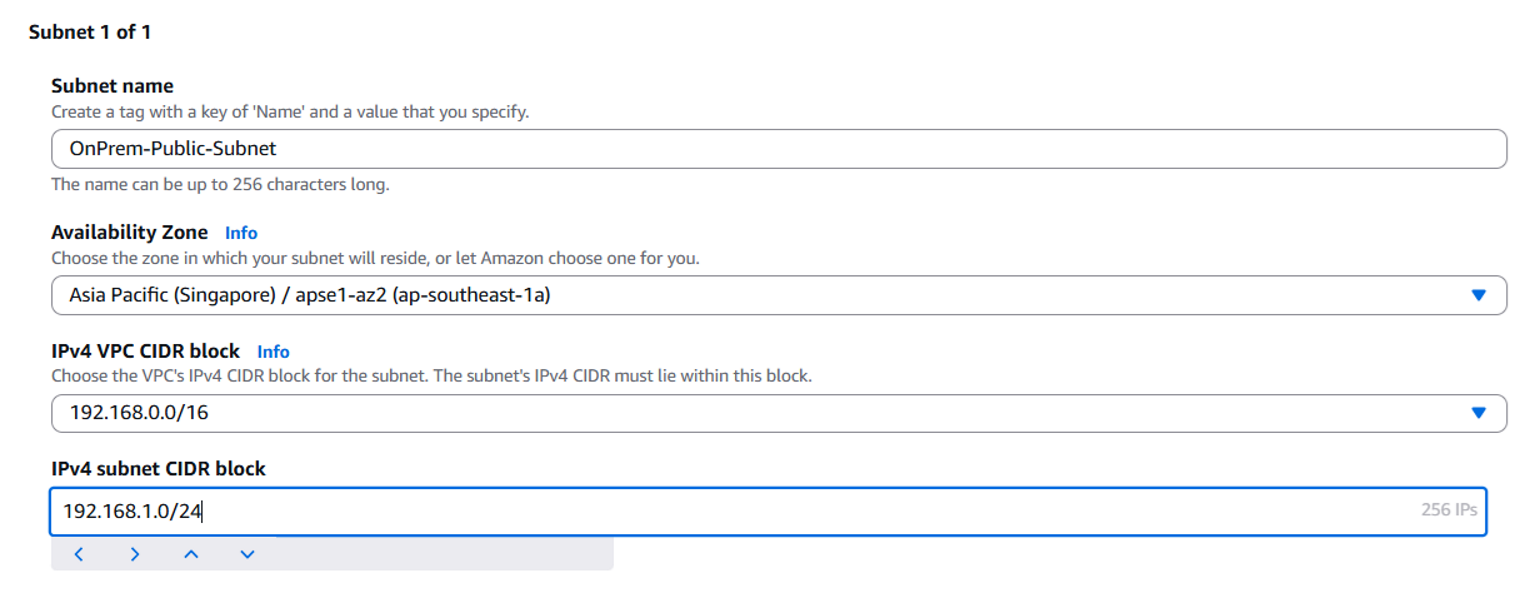
Created subnet for VPC-OnPrem
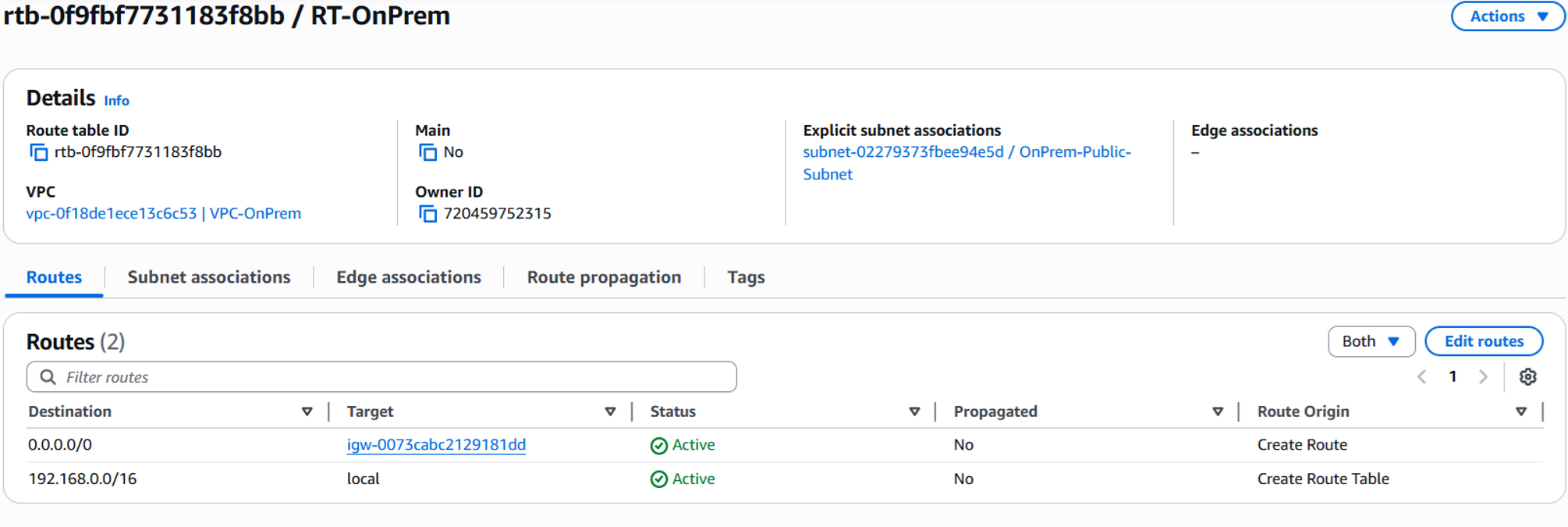
Route Table configuration for OnPrem

Created Virtual Private Gateway (VGW)
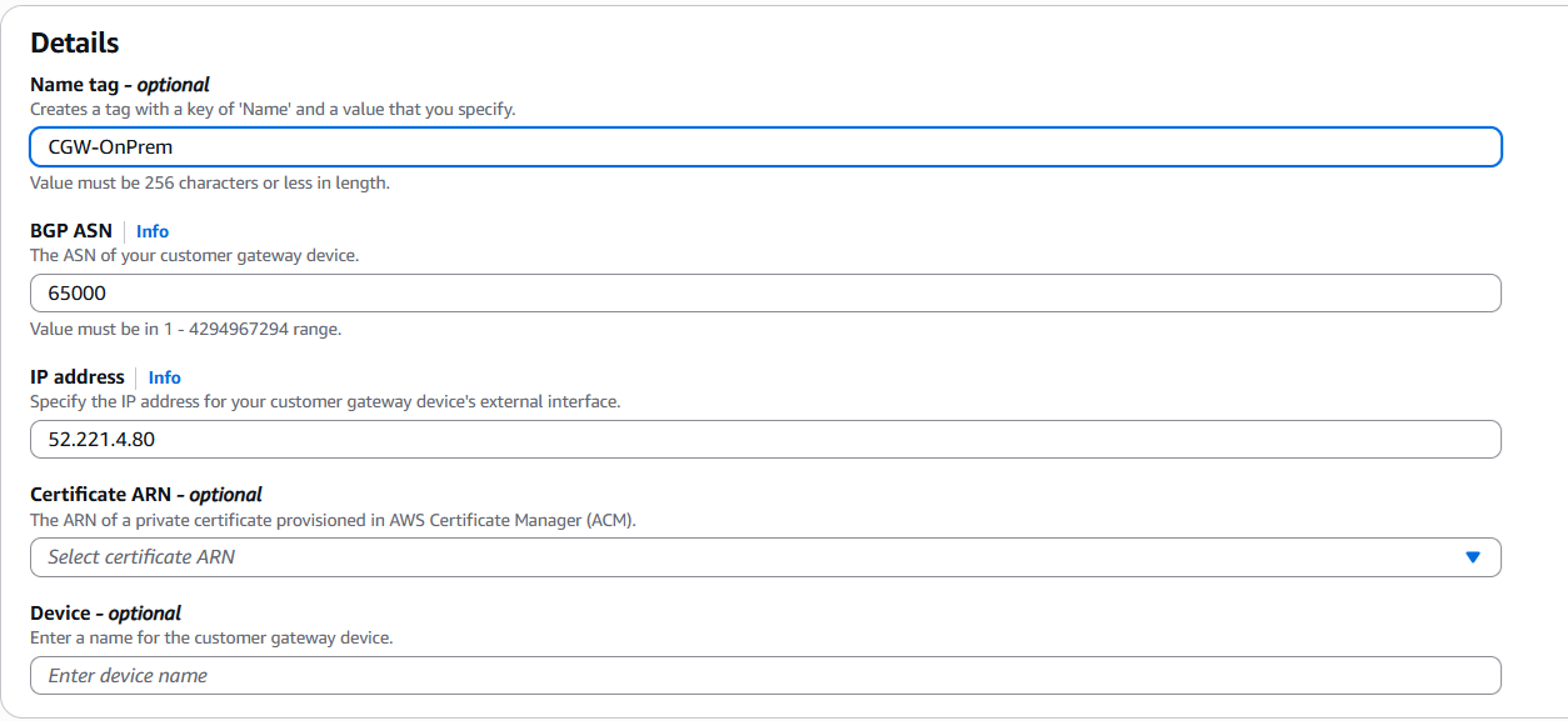
Created Customer Gateway (CGW-OnPrem)
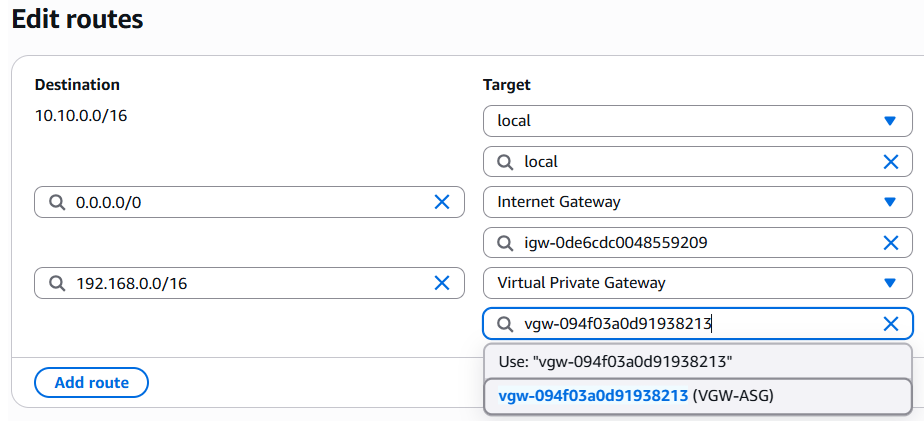
Configured Route to VGW in main VPC
06/05/2026
Work Completed
- Downloaded the VPN configuration from AWS.
- Installed Libreswan on the EC2-CustomerGateway to configure the IPSec VPN.
- Configured /etc/ipsec.conf and /etc/ipsec.secrets based on the tunnel details from AWS.
- Enabled IP forwarding on the EC2-CustomerGateway.
- Started the IPSec service and checked the tunnel status.
- Debugged an IPSec issue where the modp1024 algorithm was unsupported, shifting to modp2048.
- Checked the VPN tunnel using ipsec status and ipsec trafficstatus.
- Configured routing between the main VPC and VPC-OnPrem.
- Updated the Security Group to allow ICMP traffic between CIDRs 10.10.0.0/16 and 192.168.0.0/16.
- Debugged a one-way ping issue by checking routes, Security Groups, IPSec policies, and source IPs.
- Successfully verified bi-directional connectivity between the private EC2 in the main VPC and the EC2-CustomerGateway in VPC-OnPrem.
Results Achieved
- The VPN tunnel reached the established state and bi-directional routing between AWS private network and simulated on-premises network was successful.
- Learned to debug real-world AWS networking issues like missing key pairs, SSH timeouts, incorrect security groups, missing routes, IPSec algorithm mismatches, and incorrect source IPs.
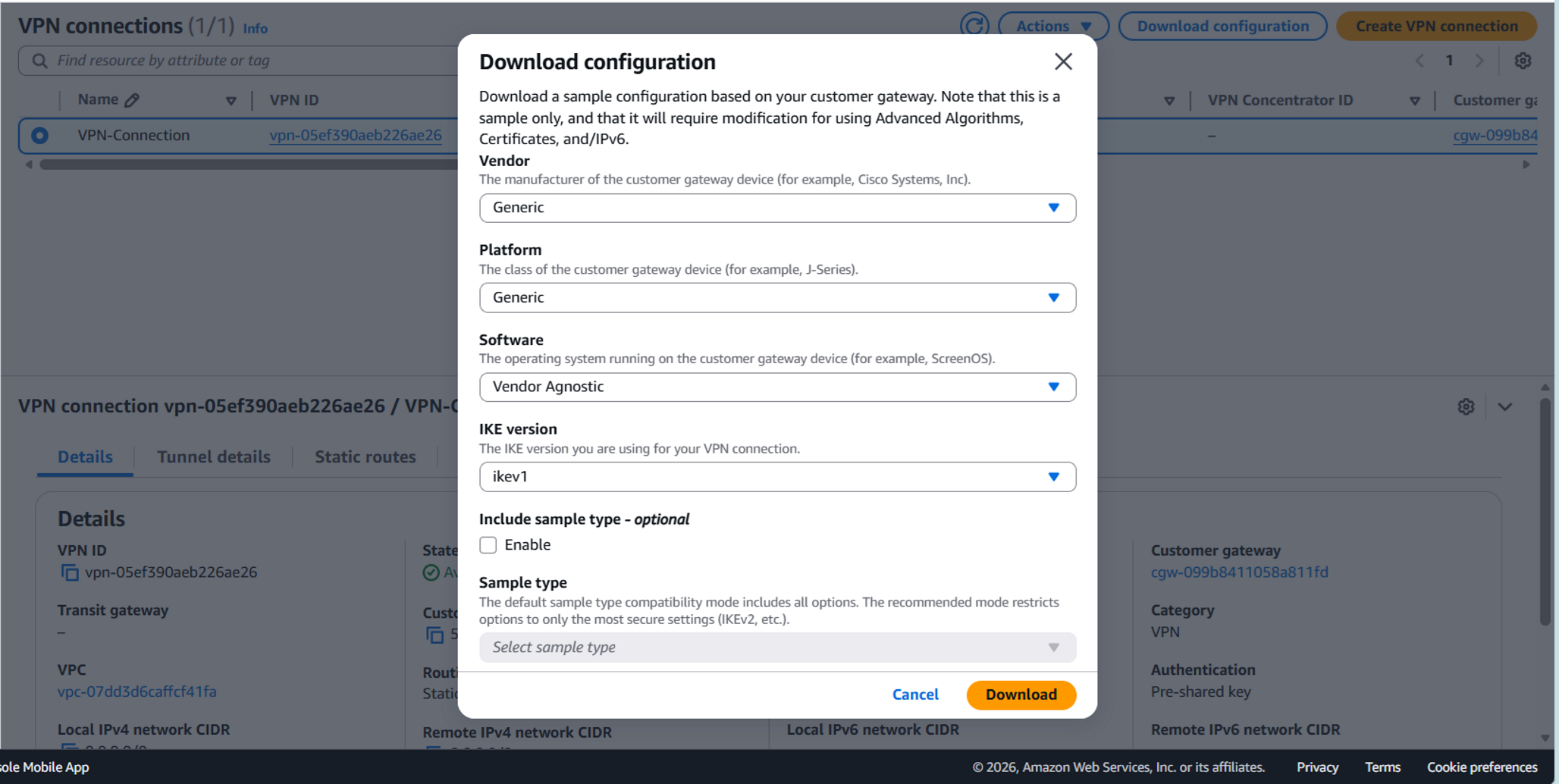
Downloaded VPN configuration from AWS
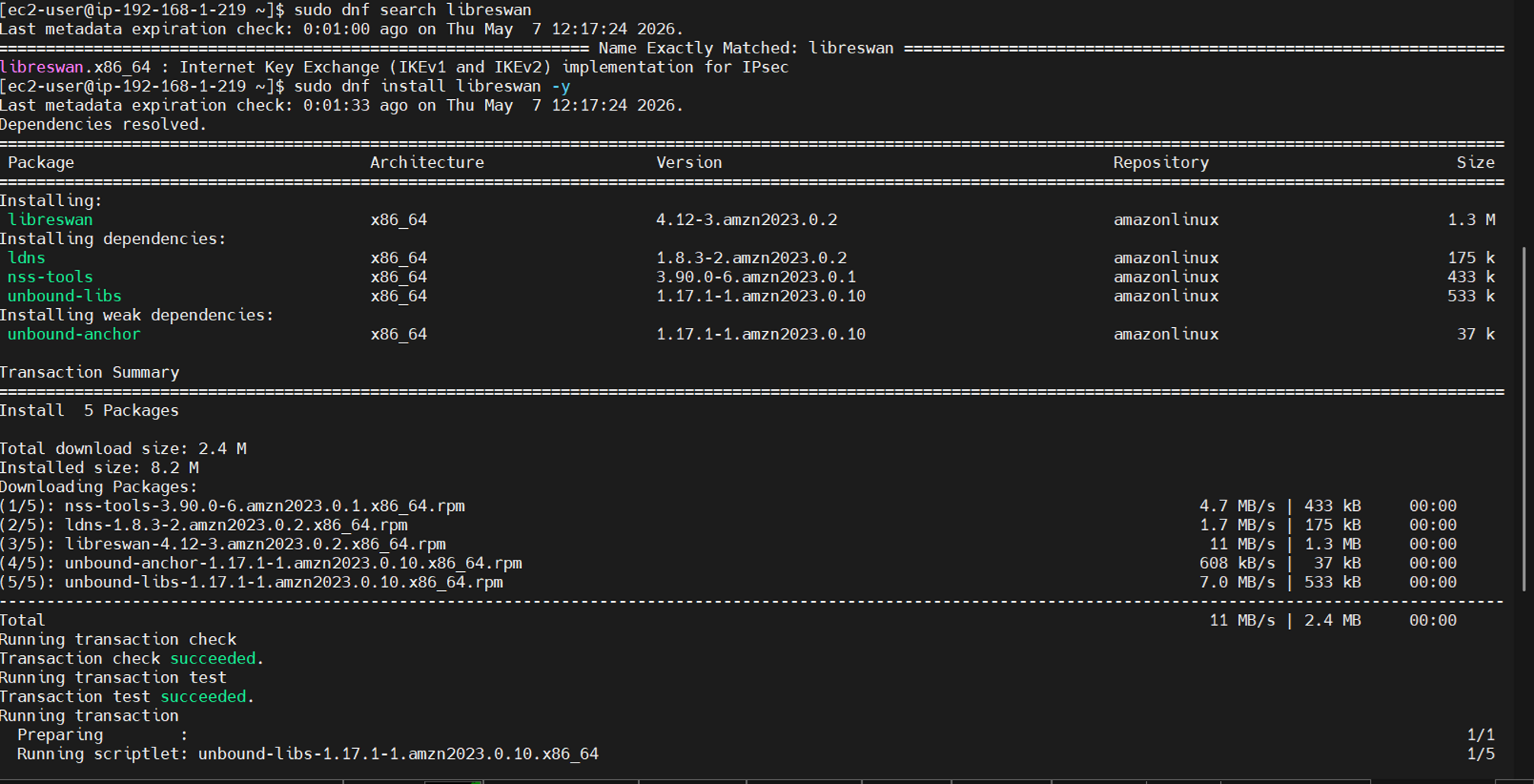
Installed Libreswan on OnPrem Gateway
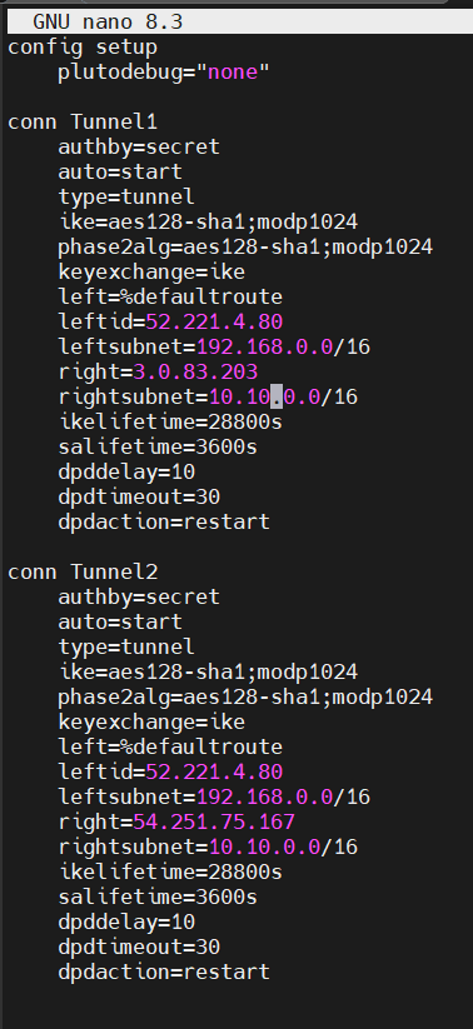
IPSec configuration file using nano
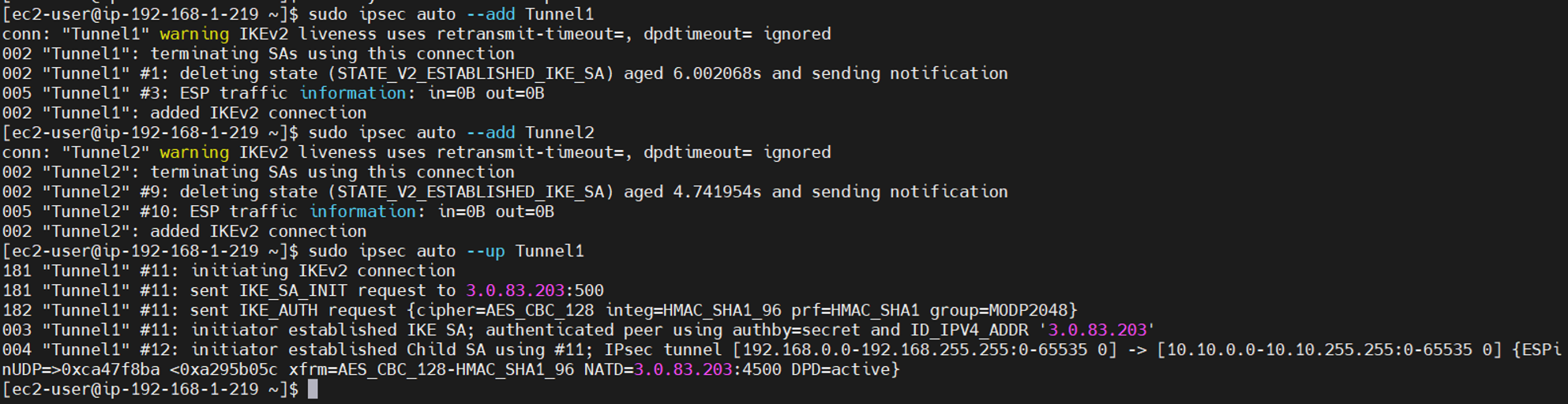
Successfully established IPSec Tunnel
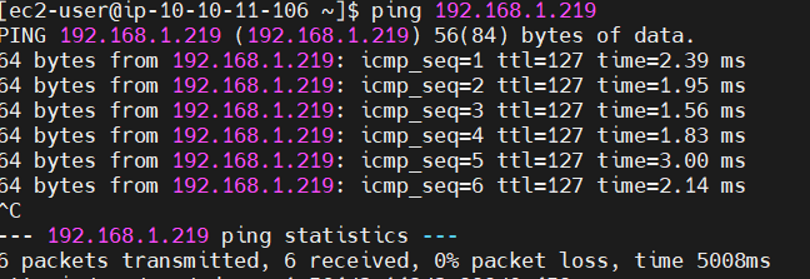
Verified Ping Private EC2 → OnPrem
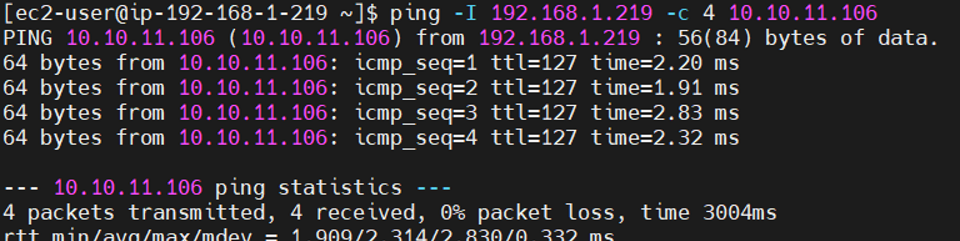
Verified Ping OnPrem → Private EC2
07/05/2026
Work Completed
- Cleaned up all resources after the lab to avoid charges: EC2 instances, NAT Gateway, Elastic IPs, VPN Connection, Virtual Private Gateway, Customer Gateway, Internet Gateways, subnets, route tables, security groups, and VPCs.
- Studied Infrastructure as Code (IaC) using AWS CloudFormation.
- Created a simple CloudFormation YAML template to deploy a VPC automatically.
- Deployed the stack using CloudFormation and verified auto-created resources.
- Deleted the CloudFormation stack to verify the automated cleanup process.
Results Achieved
- Understood how CloudFormation uses YAML templates to automate infrastructure deployment.
- Recognized the distinction between manual console actions and deploying resources through Infrastructure as Code.
- Ensured complete resource cleanup to prevent unexpected billing.
Weekly Summary
This week, I extended the VPC networking exercises by working with AWS Site-to-Site VPN and a simulated on-premises environment. I configured the VPN components and IPSec tunnel, troubleshot routing and connectivity issues, verified bidirectional communication, cleaned up the lab resources, and gained an initial understanding of Infrastructure as Code with AWS CloudFormation.